Why Automated Internal Linking Transforms WordPress Blogs
Automated internal linking tools quickly became a must-have for bloggers who want to lift their SEO without spending hours on linking by hand. But don’t expect every tool to shine the same way: they vary in how well they understand your content, handle context, and follow your anchor text choices. Running a WordPress blog means juggling a million little tasks. The Best Automated Internal Linking SaaS Tools For WordPress Blogs help tighten your site’s SEO structure by automatically finding or adding links between posts. That makes your site easier for both search engines and readers to explore.
It boosts SEO in several ways. Internal linking connects one page on your site to another inside articles. Search engines use these links to find new pages and figure out which ones matter most. Smart internal linking passes “link juice” — ranking power — between pages, helping your important posts climb higher. Internal links encourage readers to keep exploring your site, reduce bounce rates, and increase the overall time they spend browsing.
Instead of you hunting which posts to link, the tools scan your entire database, spot natural connections, and suggest or insert links. Automated linking tools chop hours off the tedious manual search. But watch out: some tools cram in strange or off-topic anchors, which hurt your SEO and annoy visitors.
Here’s a handpicked lineup of top SaaS tools made just for WordPress blogs, each with different strengths and price points:
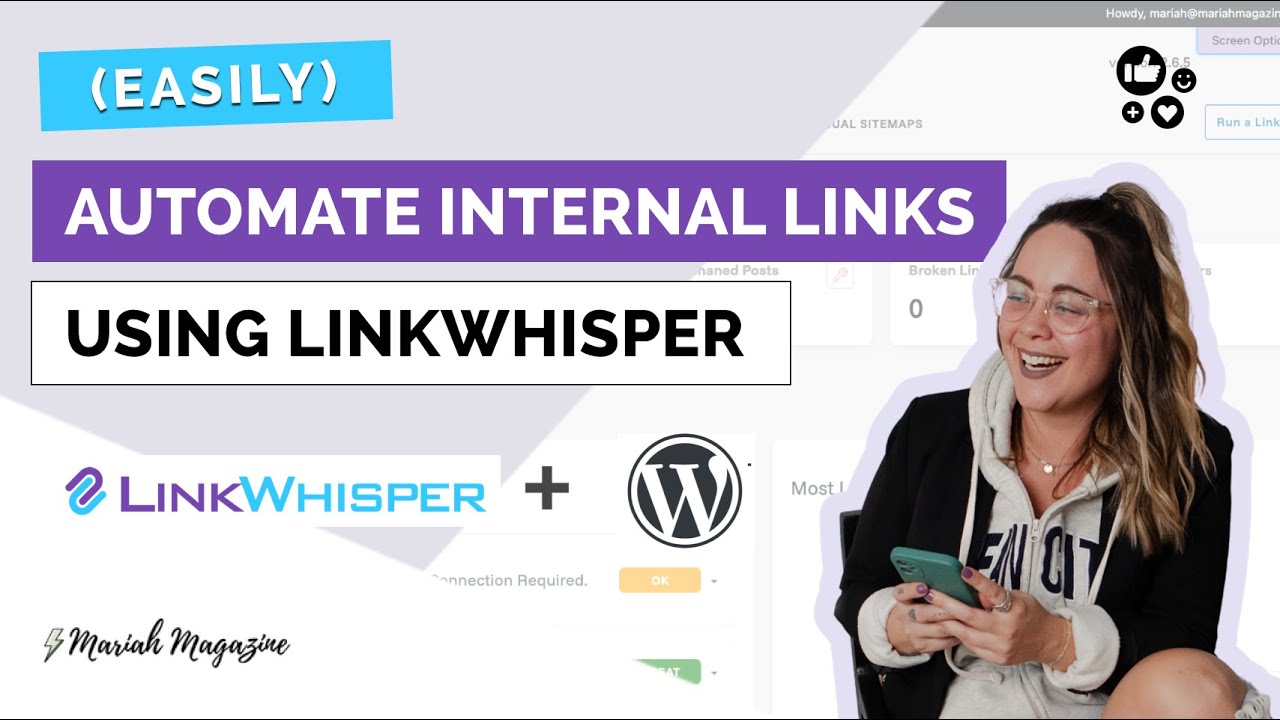
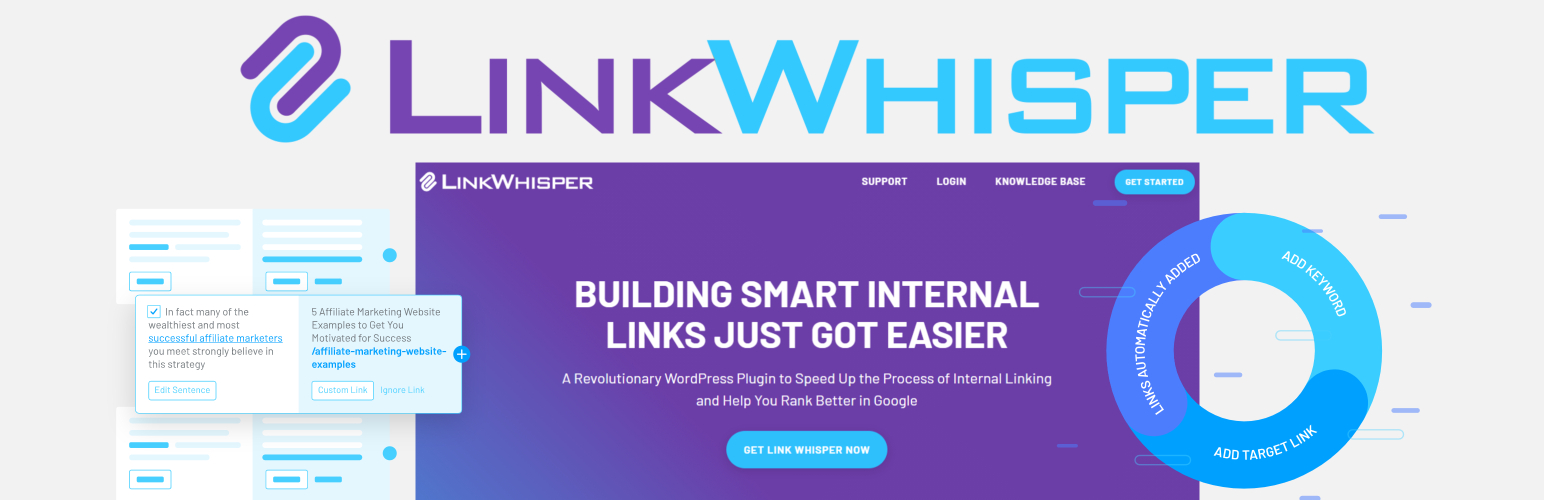
- Link Whisper – Uses AI to suggest links and refreshes anchor text options often, answering past gripes about relevance.
- Internal Link Juicer – Lets you tweak link weight and placement but hides pricing, making costs a mystery.
- SEO Auto Linker – Simple auto-linking for chosen keywords but barely any reviews, leaving features and support unclear.
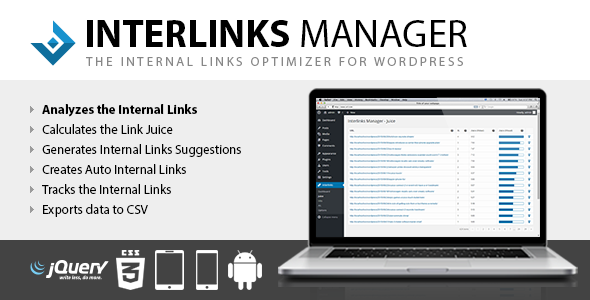
- Interlinks Manager – Tracks link juice flow and offers deep analytics to uncover hidden SEO value in your content.
- WP Auto Links – Links keywords automatically without slowing down your site — an unusual but handy mix.
- Contextual Related Posts – Shows related posts to boost internal linking indirectly through relevant content suggestions.
- YARPP (Yet Another Related Posts Plugin) – Pushes related article recommendations to readers, backing link-building from their side, not just yours.
- Inbound Writer – Combines content optimization with auto-link suggestions, aiming to improve quality and SEO at once.
Each tool offers a different spin on automating internal links for WordPress. You’ll find pricing details, refund terms, and key features to help you pick the right fit. For more SEO gear, dive into our other guides like Best Automated Rank Tracking SaaS Tools for Local SEO and On-Page SEO Audit Tools for Beginners.
Link Whisper – Features and Pricing Overview
Next: a close look into The Best Automated Internal Linking SaaS Tools For WordPress Blogs, breaking down features, costs, and user feedback so you can choose with confidence.
- Link Whisper — Includes advanced internal linking features custom specifically for WordPress environments.
- Internal Link Juicer — Pricing starts at $5.75 per month making it accessible for SEO-focused WordPress sites.
- SEO Auto Linker — Functions as a WordPress.org plugin, integrating directly into WordPress environments.
- Interlinks Manager
- WP Auto Links — Solo Plan priced at $29/month supports 1 project for automated internal link building.
- Contextual Related Posts — Offers a free tier with limits on number of projects for initial testing and use.
| Product | Our Rating | Best For | ||
|---|---|---|---|---|
 |
1Link Whisper |
4.2/5
|
WordPress SEO automation | Read More |
 |
2Internal Link Juicer |
4.1/5
|
Pricing starts at $5.75 per | Read More |
 |
3SEO Auto Linker |
4.1/5
|
Functions as a WordPress.org plugin | Read More |
 |
4Interlinks Manager |
4.8/5
|
WordPress SEO automation | Read More |
 |
5WP Auto Links |
4.7/5
|
Small site owners | Read More |
 |
6Contextual Related Posts |
4.5/5
|
Automated SEO linking | Read More |
 |
7YARPP (Yet Another Related Posts Plugin) |
4.6/5
|
Budget-conscious bloggers | Read More |
 |
8Inbound Writer |
4.9/5
|
Single site SEO | Read More |
Link Whisper – Features and Pricing Overview
There’s a free plan to try, but it’s limited. Link Whisper’s automated internal linking targets WordPress users who want better site structure and SEO without doing the linking themselves. You won’t find clear pricing info upfront, so buyers have to weigh their needs against what they might actually spend. This setup mainly helps those already using WordPress. If you’re on another platform, you’re out of luck—no support or compatibility there.
Link Whisper narrows in on WordPress with a more focused feature set, but it still struggles to show exact costs or always suggest perfect links. Internal Link Juicer offers a different take. Juicer’s pricing is even murkier, plus it automates less. So, the choice boils down to whether you want deeper WordPress tools or something that works across platforms. Expect some compromises.
The free tier caps how many links you get and how fast they appear. One big win for Link Whisper is how it creates internal links from keyword analysis inside WordPress blogs, boosting SEO without your input. Most advanced users will need to opt for paid options; however, without clear pricing tiers, budgeting presents challenges for bloggers and agencies alike. This tool fits power users who want hands-off SEO and can tolerate unclear costs and the occasional rough link. If you run a different CMS or need simple pricing, this might not be your cup of tea.
Affiliate marketers with heavy traffic might also want affordable managed hosting, which keeps sites fast and growable while internal links do their work. To get more from SEO or better WordPress setups, check out top-notch on-page SEO audit tools alongside Link Whisper.
Still, the maker pushes updates and tweaks the algorithms often, trying to fix these problems and sharpen the automation. Link Whisper does have some hiccups, like off-key anchor texts and links that don’t quite fit, a gripe you’ll see popping up in forums. With SEO shifting focus from link counts to link quality, Link Whisper aims to keep your site healthy with smart link placement, making it a solid pick for those wanting automated scale without giving up SEO care.
Internal Link Juicer – Plugin Benefits and Cost
| ✓ Pros | ✗ Cons |
|---|---|
| Includes advanced internal linking features custom specifically for WordPress environments. | Free version has functional limitations compared to paid plans on internal link suggestions and automation. |
| Automates link building to strengthen site structure and improve SEO through its proprietary algorithms. | Lacks built-in support for non-WordPress CMS users, restricting its audience and versatility. |
| Offers a free version of Link Whisper with limited internal linking capabilities for initial use. | Compatibility and usefulness outside of WordPress is limited, requiring alternative plugins for other platforms. |
| No detailed public pricing breakdown, complicating assessment of cost versus features for various user tiers. |
 Internal Link Juicer – Plugin Benefits and Cost
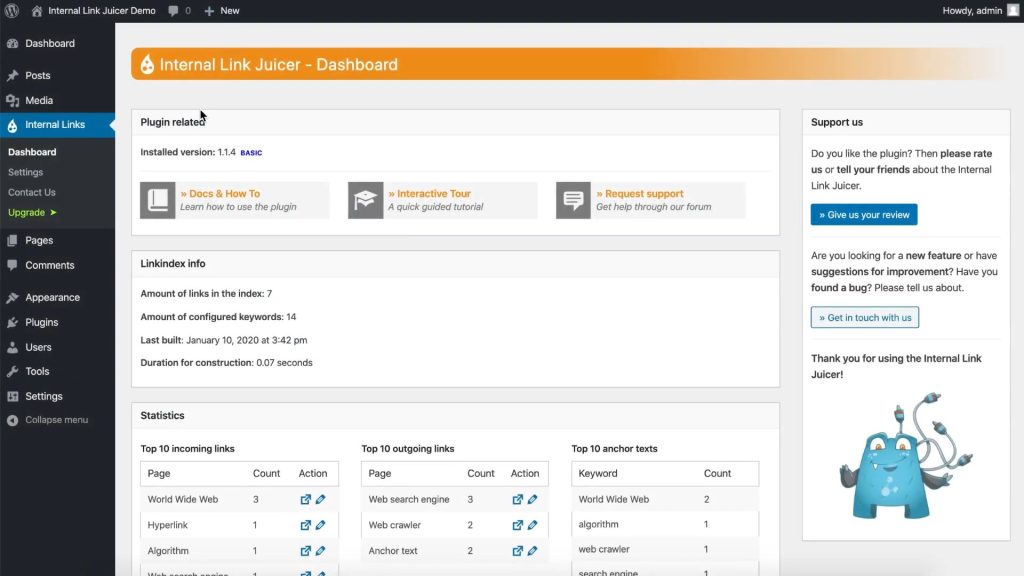
Internal Link Juicer starts cheap. It’s aimed squarely at WordPress users juggling SEO who want simple automation without breaking the bank. The pricing is clear and upfront, unlike many tools that bury fees or box key features in tangled plans. That alone makes it friendlier for smaller teams. But there’s no free trial. Budget-conscious buyers might stall, unsure if the tool really fits before spending a dime.
Internal Link Juicer carves its niche by sticking tightly to WordPress and running automation based on keyword rules. Bigger clients looking for fast vendor backup might hesitate. Look at Link Whisper or similar plugins. This laser focus helps organize links across the site without extra fluff. The workflow speeds up and content structures stay neat. Still, it works only on WordPress—no multi-CMS gymnastics here. Plus, the company doesn’t say much about limits: how many keyword hits? How many links per post? That’s fuzzy, especially if you plan a big rollout. Also, no crystal-clear support tiers.
It’s cost-effective and straightforward, designed for small to midsize sites that want SEO upgrades without complex installs or cross-platform hassle. The plugin rides on keyword automation in a familiar CMS playground. Missing info on operational caps or how quick support responds could put off power users with aggressive SEO goals. If you’re building link structures within WordPress and want a smooth, budget-friendly tool, this fits well. But if you need wider integrations or solid support contracts, you’ll need to look elsewhere.
WordPress-only SEO tools generally win on simplicity and easy setup. Internal Link Juicer fits that pattern, encouraging steady adoption with a pricing plan that lets you start small. But that affordability trades off for platform exclusivity. Clearer lines between what’s free and paid—especially on official download pages—would boost trust in early evaluations. All told, Internal Link Juicer stakes a claim in the space for accessible, automated internal linking confined to WordPress, making it a smart pick for those locked into that market’s SEO world (more or less).
| ✓ Pros | ✗ Cons |
|---|---|
| Pricing starts at $5.75 per month making it accessible for SEO-focused WordPress sites. | No mention of a free tier limits evaluation for budget-conscious users before purchase. |
| Integrates directly as a WordPress plugin to simplify link building within the CMS. | Functionality restricted to WordPress platform, excluding other CMS users. |
| Improves both SEO and user experience through improved internal link creation. | Limited information on maximum keyword matches or link caps per post. |
| Automates internal linking based on smart keyword configuration to improve site structure. | Lacks documented support response times or dedicated support tiers for paid plans. |
 SEO Auto Linker – Capabilities and Pricing Details

SEO Auto Linker’s biggest strength lies in how smoothly it integrates with WordPress, automatically generating internal links by targeting keywords. This slashes the tedious task of manual linking and gives SEO and site navigation a boost. But here’s a snag: there’s no straightforward pricing shown upfront. That can discourage people who want immediate clarity on costs. It also works only on WordPress. So if you manage several platforms, it doesn’t really help. Nobody’s published clear limits on how many keywords or links you can use, making it tough to plan for large, complex sites.
Some competitors, like Link Whisper, cover multiple platforms but often get criticized for inserting links that don’t fit naturally. SEO Auto Linker sticks firmly to WordPress and zeroes in on creating dependable internal links there. Being listed in the WordPress plugin repository adds a layer of trust, although the pricing remains unclear. Internal Link Juicer also hides pricing, but SEO Auto Linker benefits from that strong native WordPress connection. It’s perfect if you want a simple tool that feels built-in. But it falls short for those needing cross-platform flexibility or set limits suitable for heavy usage.
SEO Auto Linker suits mid-size blogs and businesses aiming to simplify linking inside WordPress. No fancy setup. Just straightforward linking that helps SEO and improves user experience. Yet, because it only runs on WordPress, it’s useless if you handle multiple content systems. The vague pricing and unknown scaling parameters might scare away budget-conscious teams or larger companies looking for fixed expenses. Need multi-platform support or transparent enterprise plans?
It swiftly connects related posts and saves hours spent on building manual links. Its auto-linking, based on smart keyword usage in WordPress, offers SEO and engagement perks that stand out in a saturated field. Focusing solely on WordPress, SEO Auto Linker offers site owners a quick way to improve SEO by automatically linking keywords. Still, with no fixed caps on keywords or links per post, guessing how it will handle heavy traffic sites is a gamble. WordPress’s vast user base helps, but the lack of support beyond that narrows its reach. The combination of hidden pricing and sketchy link limits is a weakness in the 2026 market for internal linking tools. If you live inside WordPress and want automation, it’s a solid pick. Need transparent pricing or multi-platform functionality?
SEO Auto Linker’s WordPress-only focus makes it a no-frills, simple option rather than a full SaaS platform—this halves its appeal beyond hardcore WordPress users. For a clearer sense of how well it performs and what users think, explore verified case studies and up-to-date SEO trends on keyword-driven link automation. Sites like G2’s WordPress plugin reviews provide detailed user feedback and performance insights.
SEO Auto Linker – Capabilities and Pricing Details
| ✓ Pros | ✗ Cons |
|---|---|
| Functions as a WordPress.org plugin, integrating directly into WordPress environments. | No pricing or tier details available, suggesting potential lack of transparent cost structure. |
| Automates internal linking on WordPress sites using smart keyword configuration for post connections. | Limited to WordPress platforms, lacking support for other CMS or site builders. |
| Improves SEO and user experience by dynamically creating links between relevant posts. | Does not specify limits on the number of keywords or links per post, which could restrict scaling. |
 Interlinks Manager – User Experience and Pricing
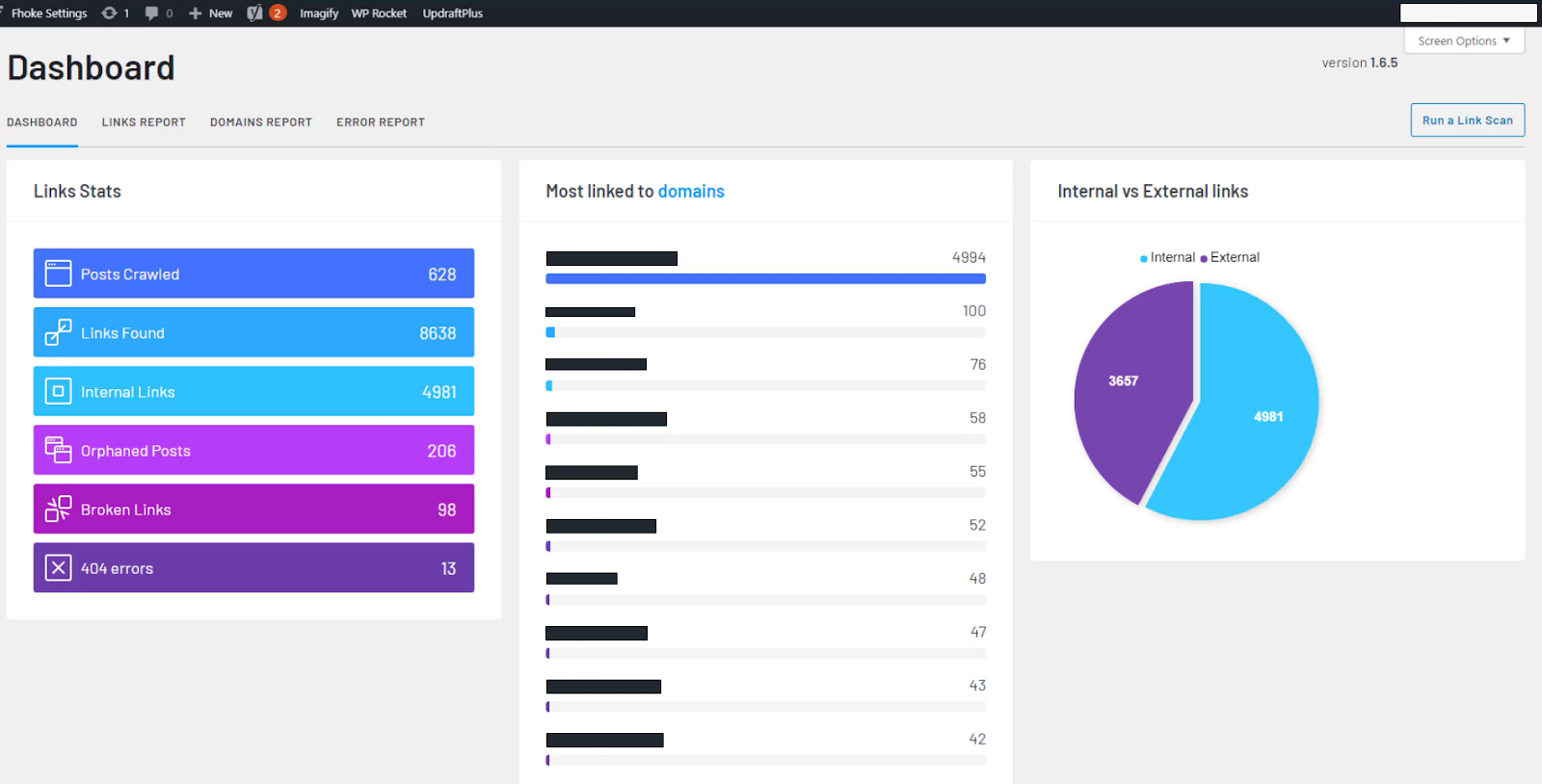
It skips some of the busywork by automating much of the link setup. Interlinks Manager tracks internal links on different levels, with over 15 integrations counting toward a clear cap on manual links (by and large). Pricing starts at $39 a year for one site, and it scales up neatly. Plus, they offer lifetime licenses—rare these days, since most tools stick to subscriptions.
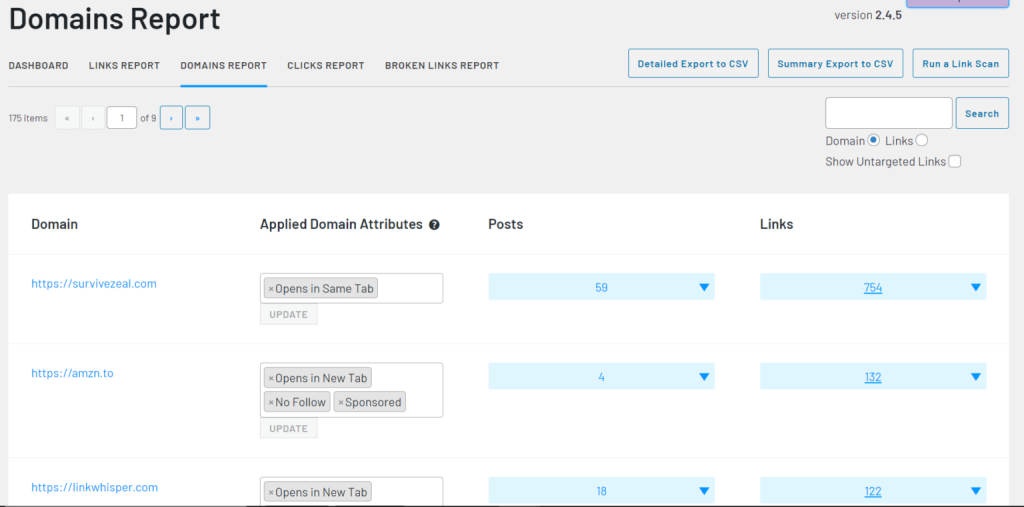
Unlike Link Whisper, Interlinks Manager bets on hard data instead of just auto-link suggestions (give or take). It’s maybe not the best if you want hands-off, fully automatic link creation. Link Whisper users often complain about weird or useless link tips. Interlinks Manager, though, digs into how link equity flows and how visitors click within your pages. Marketers get to tune their links by tracking real user actions, not guesses from AI. Link Whisper wraps pricing in fuzzy limits around site counts, but Interlinks Manager lays it out clearly, helping small businesses scale without surprise bills. If you want neat reports and a predictable budget for SEO links, this tool stands out.
You can see what each internal link does—to navigation, conversions, SEO juice—not just how many links or anchors you have. What sets Interlinks Manager apart is its micro-level link tracking, tightly blended with popular SEO apps. The $39 yearly basic plan challenges similar tools on price, but the lifetime licenses in higher tiers bring solid savings for agencies juggling several sites. SEO consultants and content managers who want long-term data without monthly bills will find this attractive. The interface mixes detailed stats with manual controls for linking rules, perfect for users who like to tweak their strategy while watching the numbers.
The sharp analytics and straightforward prices carve out a niche in a packed plugin market. The confirmed number of integrations and transparent pricing give buyers confidence about costs and data they’ll get. But if zero effort automation is your thing, this might feel clunky. Its strength is tracking link performance, not just offering auto-hints. Focus matters. That makes it a powerhouse for SEO pros who need solid evidence to reshape content and site structure through link value. Casual site owners might find it overkill. But for those who operate large or growing networks and crave clear link metrics, it delivers.
Curious about how this fits broader SEO checks? Check the best on-page SEO audit tools for how internal link tracking slots into wider site optimization. Also, website audit SaaS solutions help find broken and weak links structurally—something Interlinks Manager can then capitalize on to boost link health. Together, these tools sharpen your SEO game by pulling more search traffic and keeping visitors engaged longer.
Interlinks Manager – User Experience and Pricing
Interlinks Manager mixes deep features, clear pricing, and a laser focus on link performance data. It’s one of the few tools made for SEO teams and agencies who want to dig past lazy automation and chase real link equity measured in clicks and user paths.
 WP Auto Links – Features, Trials, and Pricing
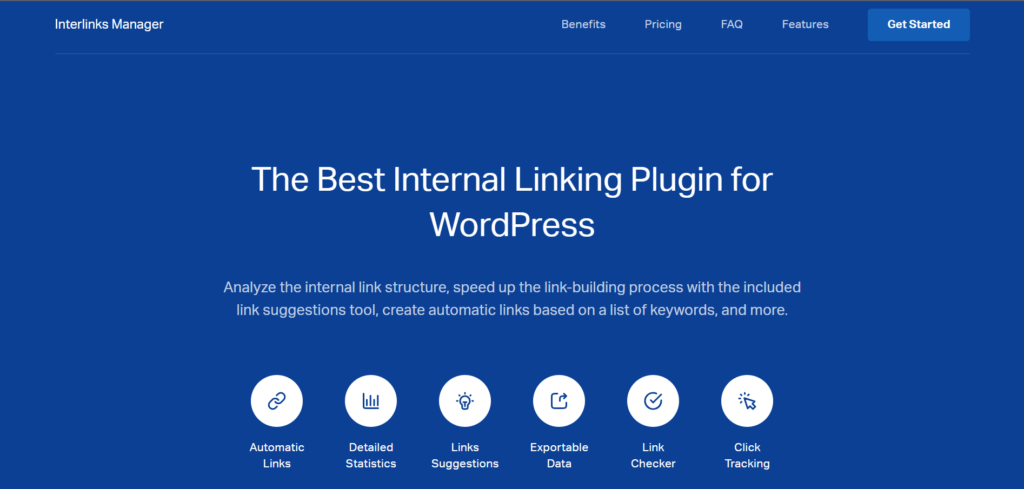
WP Auto Links splits its pricing to sharply separate casual users from big operations. At the low end, you get basic automation for one project. At the high end, the price soars to cover unlimited sites. This sets WP Auto Links apart, pushing it toward either tiny users or large agencies. Folks in between get squeezed. The jump between basic and premium plans is wide. You either pay a little and handle few projects or spend a lot for full control.
Compared to rivals like Link Whisper, WP Auto Links feels stiff. But it might turn off those wanting smoother growth or to juggle multiple projects with varied needs. Competitors offer more flexible mid-tier options and add handy features like anchor text suggestions, spread over several price points. Here, the plugin locks you into blunt choices. Sites needing more than basic automation but less than the highest tier get stuck. It’s also tricky to see what features change as you move up. That makes weighing costs against benefits confusing. So, WP Auto Links suits small teams or solo users who want simple linking without fuss.
The real draw is the automated linking itself, paired with clear project limits that cut down manual SEO headaches. A free version lets you start testing. But it caps you at one project, which quickly cramps growth if you run several sites. Prices leap sharply after the free tier. The $89 plan fits those running fewer than ten projects, but the jump past that can feel steep. This pricing braces the plugin for users whose needs tightly match those project boundaries, rather than broad control across many sites. While it works well for straightforward link automation, this sharp divide could push away people wanting finer pricing steps or more features.
Price Transparency and Buyer Clarity
WP Auto Links slips on clear pricing info. You mostly see project limits, but little detail on what each tier actually offers beyond that. No clear feature lists or notes on automation depth or support levels. Competitors tend to lay out everything plainly. This foggy approach makes it hard for buyers to judge value or build trust. Plus, no options under $89 leave smaller users with multiple projects out in the cold. Clearer tier details and pricing would boost confidence—especially as SEO automation becomes the norm. Better openness could widen WP Auto Links’ reach past just tiny teams or big companies, letting it compete in the crowded space.
Who Benefits Most from WP Auto Links?
This tool fits solo bloggers or small businesses juggling up to ten projects who want automated linking with little setup hassle. It suits those who want to grow slowly but stay within fixed project caps. Large agencies or users with many sites might balk at the steep top-tier cost and look elsewhere for smoother pricing. For teams laser-focused on internal link optimization within a predictable budget, WP Auto Links delivers essential automation. It aligns with industry trends favoring scalability balanced against costs, as noted in Gartner’s SEO automation trends report.
| ✓ Pros | ✗ Cons |
|---|---|
| Solo Plan priced at $29/month supports 1 project for automated internal link building. | Free tier limits users to only 1 project, restricting use for multiple sites or large blogs. |
| Agency Plan available at $347/month offers unlimited projects for extensive site management. | Highest plan costs $347/month — a steep price compared to some competitors. |
| Free version of WP Auto Links provides basic internal linking automation with project limits. | Pricing starts at $29/month, notably higher than some other internal linking plugins’ entry levels. |
| Pro Plan at $89/month covers up to 10 projects, scaling for growing website needs. | No mid-tier offering below $89/month for multiple projects, limiting budget flexibility. |
Contextual Related Posts – Overview and Costs
Contextual Related Posts locks free use to just one project. The highest tier, at $347 a month, covers unlimited projects, aimed at agencies or big companies juggling many clients. That means if you want a long, hands-on trial before paying, you’re out of luck. The cheapest paid plan kicks off at $29 a month. That price fits managing one project but may feel steep if your site’s small. Step up to $89 monthly, and you get ten projects—enough for mid-level site operations.
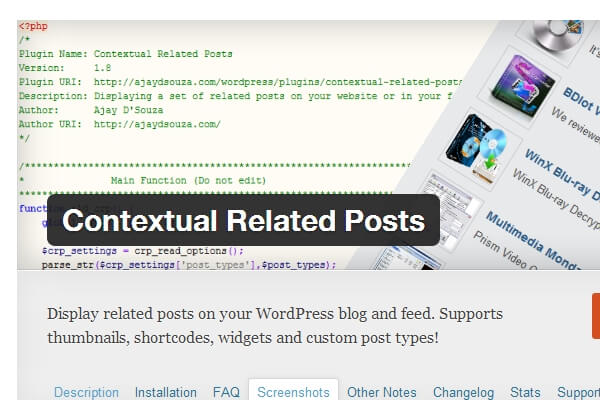
Look at competitors like Link Whisper, and Contextual Related Posts stands out for clear pricing. Solo bloggers or very small sites might glance and walk away. That helps folks plan budgets across project sizes without surprise costs. Link Whisper’s pricing isn’t as straightforward, plus users sometimes complain it misses the mark on linking relevance. Contextual Related Posts sticks to defined project limits per tier, so you know where you stand. Still, the starting price could scare off beginners or tight budgets, especially since the free plan won’t let you test deeply. This setup suits medium and large site owners or agencies that need flexible internal linking and value clear costs over cheap on-ramp deals (as a rule).
The upgrade path is simple—no sneaky fees or tangled terms. What makes Contextual Related Posts strong is how its payment tiers match rising site needs. The free version offers a peek but pushes toward that $29 monthly plan for single projects. For anyone juggling multiple client sites, the top plan’s unlimited projects put scaling on autopilot with a fixed monthly cost. Scaling made easy. That entry barrier might challenge fresh or budget-tight users, but pros focused on solid, growable internal link tools will feel right at home. Limits on projects in lower tiers make users pay in line with how much they actually use, keeping the cost fair. That straightforward logic is a sharp contrast to the fuzzy pricing puzzles you get elsewhere. If you want more on site health or backlink handling, check out the review at A Complete Review Of The Best On-Page SEO Audit Tools For Beginners Picks For Pricing Clarity And Usability.
| ✓ Pros | ✗ Cons |
|---|---|
| Offers a free tier with limits on number of projects for initial testing and use. | Free version imposes feature limits, restricting usage to only 1 project for basic needs. |
| Solo Plan is priced at $29/month for managing internal linking on a single project. | Lowest paid tier starts at $29/month — comparatively expensive for small sites. |
| Pro Plan allows up to 10 projects for $89/month, supporting medium-scale site management. | No pricing available below $29/month, limiting affordability for budget-conscious users. |
| Agency Plan provides unlimited projects at $347/month for large or multiple client needs. |
YARPP (Yet Another Related Posts Plugin) – Pricing and Features
YARPP (Yet Another Related Posts Plugin) offers a free plan that covers just one project. Paid plans jump from $29 up to $347 a month, depending on how many projects you want. This tiered pricing neatly sorts users from solo site owners to big agencies with many sites. But the strict link between price and project count hits hard if you manage multiple sites—you’ll face sharp price rises fast. The system makes budgeting clear, sure, but it’s not flexible. You can’t mix and match features or stretch past fixed project limits without paying more (for the most part).
Link Whisper’s approach can feel messier or less spot-on but adapts better to varied linking needs. Handling multiple sites means upgrading tiers—and bigger bills—that could shut out budget-conscious users. Unlike competitors like Link Whisper, which push flexible anchor text suggestions that change based on context, YARPP sticks to hard project caps. YARPP’s pricing fits those with stable, predictable projects well but might scare away smaller players or testers, since no plan comes in below $29. If you only manage one site, the simple, transparent charges work fine (by and large).
That’s great if you want fixed limits and predictable growth. YARPP builds its value around counting projects instead of tweaking features. Agencies and freelancers who need exact budget forecasts tied to site numbers will like this. If you want to juggle lots of sites smoothly or crave deeper linking tools, YARPP can feel confining. The free plan is small, not suited for heavy automation. So YARPP fits those okay with paying based on projects, but if you want cheaper options or extra functions, you’ll likely look elsewhere.
YARPP (Yet Another Related Posts Plugin) Anchor Text and Integration Notes
This cuts down on weird or irrelevant link ideas that competitors sometimes spit out but means its contextual linking stays pretty basic. YARPP uses a simple engine for internal linking suggestions, no fancy algorithms tweaking anchor text. As prices climb steeply with project count, agencies juggling many domains might find costs balloon quickly. YARPP works best if your project scope holds steady, letting you control expenses and avoid paying for unused features. For a single website, the Solo Plan balances cost and power fairly well. Add more sites, and expenses rise fast.
It doesn’t play much with third-party content tools or other CMS platforms. Integration stays tightly tied to WordPress. Keeping things locked to WordPress keeps the plugin light and easy to run, but it blocks more advanced linking features that cross platforms or offer editorial recommendations (as a rule). YARPP suits users whose internal linking needs live entirely inside WordPress and who focus on clear costs and simplicity over broad cross-platform reach or deep automation.
YARPP fills a clear niche as a straightforward internal linking tool. If you want more advanced SEO tools, check out pieces like Data-Backed Analysis Of The Best Automated Rank Tracking SaaS Tools For Local SEO Savings. It doesn’t try to do too much—useful for budgeting and ease of use, but limiting if you need larger internal linking suites packed with features. Small but steady.
| ✓ Pros | ✗ Cons |
|---|---|
| Offers a free version with 1 project limit for basic internal linking needs. | Paid plans start at $69 annually, limiting advanced features for budget users. |
| Solo Plan priced at $29/month supports 1 project for moderate use. | The Solo Plan limits users to a single project, restricting multi-site users. |
| Pro Plan at $89/month allows management of up to 10 projects simultaneously. | ‘Free tier available for 1 project’ restricts extensive internal linking automation. |
| Agency Plan costs $347/month with unlimited projects for large-scale users. | Lacks lower-cost tiers compared to competitors offering plans from $5.75/month. |
 Inbound Writer – Tools and Pricing Summary
Users—from solo site owners up to full agencies—can scale projects without guessing what they’ll owe. Hobbyists and small teams could hesitate. Inbound Writer sets clear project limits and simple prices. That’s different from rivals like Link Whisper, which jumble pricing details and push flashy features over straightforward control. The tiered setup builds budgets that agencies like for managing many SEO campaigns. But starting at $29 with just the basics feels pricey if you handle only one site, especially versus cheaper or free tools some might try first.
The clear pricing splits Inbound Writer from rivals that shuffle fees or confuse people over plan limits. So, Inbound Writer mostly fits mid-size agencies and pros who want sharp project boundaries, likely leaving out the smallest or tightest-budget users. When you add projects, you already know the cost. Sticking to one domain, the initial plan’s price seems steep next to minimal or free competitors. Ten projects jump that fee quite a bit, but it suits agencies growing clients. Still, no plan drops below $29, which shuts out budget-conscious beginners or solo SEOs wanting slow, stepwise upgrades.
Its tight focus on project caps guides a clear jump from solo users to agency setups without the all-or-nothing traps others build. The Solo Plan carves a lean space for single-site link improvements, cutting extras that often feel superfluous. The Pro Plan opens room for agencies juggling multiple client sites. This split dodges hidden fees or cluttered feature bundles common elsewhere, making value about your projects, not catch-all perks. Still, no cheaper entry points might drive away smaller solo SEOs or bloggers watching their wallets. Overall, Inbound Writer shines for multi-site link builders but may miss those needing just one or two sites covered.
Strategic Role of Inbound Writer Compared to Other Internal Linking Plugins
That’s a sharp shift from plugins like Internal Link Juicer, SEO Auto Linker, and Interlinks Manager, many of which keep you guessing about costs. Inbound Writer bets on straightforward pricing tied tight to how many projects you run. This uncertainty shakes confidence, especially for agencies budgeting several internal linking projects. Inbound Writer gives predictability and trust—key when planning big SEO pushes across teams or fleets of websites.
Pricing Breakdown of Inbound Writer Plans
| Plan | Monthly Price | Project Limit | Ideal User Profile |
|---|---|---|---|
| Free Tier | $0 | 1 project (limited core features) | Beginners trying out internal linking basics |
| Solo Plan | $29 | 1 project | Freelancers and solo site owners |
| Pro Plan | $89 | Up to 10 projects | Growing agencies and multi-site operators |
| Agency Plan | $347 | Unlimited projects | Large SEO agencies with many clients |
This lineup shows who Inbound Writer goes after. The free tier lets newcomers poke around basics but stops you from going far. Solo Plan’s $29 asks for a sharp internal linking focus, with no surprise add-ons. Pro Plan offers a price agencies juggling several projects can swallow, balancing size and cost. Agency Plan goes all out with no project limits, letting big firms skip extra per-site fees and stick to clear licensing.
While many rivals wrap features in murky packages, Inbound Writer puts its pricing right out front. SEO pros who want to budget strictly by project count find that fresh (more or less). It supports smart scaling and cost control—vital when domains spread wide. That first $29 plan might scare solo site owners or casual users on tight budgets. The platform’s edge is serving customers wanting growth or juggling many sites under neat licenses.
Pricing plans fixed on project numbers give Inbound Writer a unique edge for bigger agencies craving tight control over internal link work. Of course, this means a higher starting cost that might push out the smallest or newest users, but those aiming for serious multi-site linking will welcome the no-frills setup. Other tools mix features or hide costs, making it hard for buyers who want focused spending, not paying for extras they won’t use. The model fits SEO teams handling many clients or projects: clear pricing, smooth scaling.
Folks managing big marketing campaigns get smoother workflows by blending internal links with external checks and site audits, tightening their whole SEO game. Using Inbound Writer inside a full SEO toolkit can boost internal link upgrades, especially paired with backlink tracking and rank monitoring software. Resources like this analysis of automated rank tracking tools show ways to mix these tactics, making Inbound Writer a small but key piece in a full SEO plan.

| ✓ Pros | ✗ Cons |
|---|---|
| Solo Plan priced at $29/month supports managing 1 project for internal linking improvements | Free version restricts users to only 1 project, limiting usefulness for managing multiple sites |
| Pro Plan allows 10 projects at $89/month for scaling link building across multiple sites | Entry-level Solo Plan price at $29/month is above average for single-project internal linking tools |
| Agency Plan offers unlimited projects for $347/month, suitable for large-scale SEO agencies | No pricing information below $29/month, creating a high price floor for basic internal linking |
| Free tier is available but limited to 1 project, providing trial access to core features | Lacks lower-cost alternatives since paid plans start at $29/month, with Pro Plan at $89/month |
Strategic Insights for Choosing Automated Internal Linking SaaS Tools
This guide mixes price checks, user feedback, and feature rundowns to point at options that suit different blogging styles and SEO goals. Picking the right automated internal linking tool for WordPress turns on what your site really needs and how complex it is.
- Link Whisper stands out for medium to large blogs that publish often. It cuts down irrelevant links by suggesting anchors smartly—a fix for the usual mismatch problem. You can buy multi-license deals, and $77 a year for one user isn’t bad—great for power users chasing SEO lifts without busting budgets.
- Internal Link Juicer fits if you watch expenses but want easy linking. There’s a free version; paid plans start at €30 per year per site. The pricing’s a bit murky compared to rivals, but its simple setup works for small blogs or beginners who want basic automation, no fuss.
- Bloggers who want internal linking plus related post hints might check Contextual Related Posts or YARPP. They link similar content naturally and boost engagement. But don’t expect the pinpoint accuracy of Link Whisper or SEO Auto Linker.
- SEO Auto Linker grabs users who want quick link drops across articles. Plans begin at $39 for small sites and climb with size. It’s built for speed and ease, not deep targeting or analytics.
- Pros and agencies may prefer Inbound Writer. It offers clear project limits and tiered pricing that scales with team size. This transparency helps marketing teams juggling multiple clients dodge surprise bills.
- WP Auto Links takes a niche angle, giving real-time link suggestions based on live content. Perfect for publishers whose linking needs shift daily and want flexible tools.
Your choice boils down to what matters most:
- Need strong SEO impact with tight anchor control?
- Running a tight budget on a startup or solo blog? Internal Link Juicer’s free tier and lean design fit.
- Managing many clients or agency work? Inbound Writer’s clear pricing and project caps shine.
- Looking for speed and simple setup? SEO Auto Linker fits, especially for small or midsize sites.
Key Features to Weigh Before Purchase
- Anchor text accuracy often trips tools up. Link Whisper leads here, with ongoing updates and user-tuned improvements.
- Transparent pricing avoids nasty surprises. Inbound Writer scores highest; others less so.
- Multi-site licenses help agencies, but solo bloggers must watch how affordable single-site plans are.
- UI and support count—a tool backed by active communities or responsive help saves headaches later.
- Integration with SEO audits or rank trackers tightens your linking game. Pair automation with rank tracking custom for local SEO to sharpen feedback loops.
In the end, your pick balances tech depth, budget size, and how big your blog runs. Experiment first. Each tool shines in its corner. Trying them out before paying stops you from buying fancy features you won’t use or missing automation that boosts SEO wins.
Winning means matching the tool to your WordPress setup and how your content flows. Expect flexibility and solid vendor backing to matter more than ever for lasting SEO success. No SaaS rules all corners perfectly. The market will keep shifting through 2026.
Essential Insights to Ease Decision-Making for Automated Internal Linking Tools
How To Evaluate Pricing Transparency and Value
Pricing transparency changes a lot across different products. Link Whisper charges a flat $77 per year and offers a 30-day money-back guarantee. Many competitors stick to monthly fees with hidden charges. Knowing exactly what you’ll pay helps you plan your budget without sudden bills popping up. Surprise costs frustrate SEO teams more than you might expect. Budget clarity matters.
What Levels of Automation and Suggestion Accuracy Are Available
Automation can mean fully automatic linking or just giving you suggestions to approve. Early versions of Link Whisper got flak because the suggested links sometimes made no sense. The recent updates fixed that by tuning the anchor text relevance sharply. That tweak boosts your SEO results and cuts down on the boring job of fixing bad links manually — huge for busy sites.
Which Platforms Offer Growable and Customizable Solutions
Some tools can’t handle a growing website well. Internal Link Juicer comes in free and premium flavors but hides pricing details, which makes it tough to plan for growth. Tools that show clear pricing tiers and include advanced features let you adjust as your site’s linking needs get more complex. This clarity takes a load off your mind when picking a vendor.
How Do These Tools Integrate with WordPress and Other Plugins
All top automated linking tools work with WordPress, but how smoothly they play with other popular plugins changes. For instance, Contextual Related Posts and YARPP suggest related posts but don’t manage internal links directly, which can lead to overlap or doubles. Picking a tool that fits your existing SEO and content setup avoids annoying conflicts later.
What Customer Support and Guarantee Policies Protect Users
Having a money-back guarantee and quick support functions heavily in your decision. Link Whisper sticks to a clear 30-day refund and offers active user forums. Many other options have vague or missing refund rules. Good support saves you from downtime headaches and offers peace of mind that the fine print doesn’t show.
The best automated internal linking SaaS tools for WordPress blogs demand sharp attention to pricing transparency, automation sharpness, scaling options, and solid support. It shares strategies that fit right alongside building internal links. These factors shape your workflow and SEO wins more than you might guess. For a closer view on SEO automation, check out automated rank tracking for local SEO.