Why Privacy and Offline Capability Change Note Taking
More than just digital notebooks, these professionals seek solutions that safeguard their ideas from online leaks or accidental exposure. Picking the right offline note-taking app for privacy-focused pros can change everything about how they work and protect their info. Offline capability combined with solid encryption isn’t optional when data breaches and spying happen daily.
Storing data solely on your device means you control your information completely (in practice). Many sacrifice convenience here, but those serious about privacy focus on offline access above all else. When the internet fails you, losing access to sensitive notes is a nightmare. Hackers typically target cloud backups or external servers; keeping everything local slashes the attack surface dramatically.
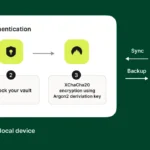
End-to-end encryption acts like a fortress against spies—whether cybercriminals or government agencies. If a device is stolen or a server cracked, encrypted notes turn to unreadable gibberish. Encrypting locally without sending data out stops weak links from appearing in your security chain. This gives users genuine authority over their data’s fate.
Privacy advocates want apps balancing frictionless use with airtight secrecy. They expect offline sync to run quietly in the background—never handing data off to outsiders. Professionals demand features like secure export options and version backups stored exclusively on their own hardware.
- Offline access means work never pauses, no matter how flaky the connection.
- End-to-end encryption locks sensitive data on every device and storage state.
- Leaning less on the cloud shrinks chances of hacks and covert data grabs.
- Open-source or transparent encryption establishes trust through visible proof.
- Cross-platform offline syncing fuses privacy with real-world practicality.
Privacy pros avoid apps that stash notes on servers or transmit unencrypted data. This isn’t your average user profile. They want note tools armored with heavy cryptography and regularly audited by communities. Standard Notes, Joplin, and a handful of others fit these criteria, though encryption strength and offline features vary widely.
Standard Notes – Strong Offline Encryption for Privacy
Cybersecurity audits reveal many cloud note apps leak content or metadata en route. That’s a nightmare for anyone handling private projects or confidential research. Freedom.press’s deep-dive analysis confirmed offline, encrypted note-taking sidesteps most of these vulnerabilities, carving a clear avenue for true data privacy.
Picking the best offline note app for privacy pros means putting control above convenience, encrypting every byte locally, and trusting only those apps vetted by independent experts. What seems like a simple note quickly becomes an impenetrable fortress for your thoughts and work amid hostile digital threats (in plain terms).
- Standard Notes — Offers a free forever plan excluding online storage costs, providing basic note-taking capabilities without a subscription
- Joplin — Supports offline access for note-taking without internet connectivity, useful for privacy-focused users.
- Notion — Free Notion plan provides note-taking and sharing features suitable for individuals and small teams.
- Obsidian — Obsidian offers a fully free note-taking service for individuals and businesses as of 2026.
- Bear — Bear offers a free plan with note-taking and offline access except for online storage.
- Zettlr — Zettlr is available for a one-time purchase price of $49 with no recurring fees.
Standard Notes – Strong Offline Encryption for Privacy
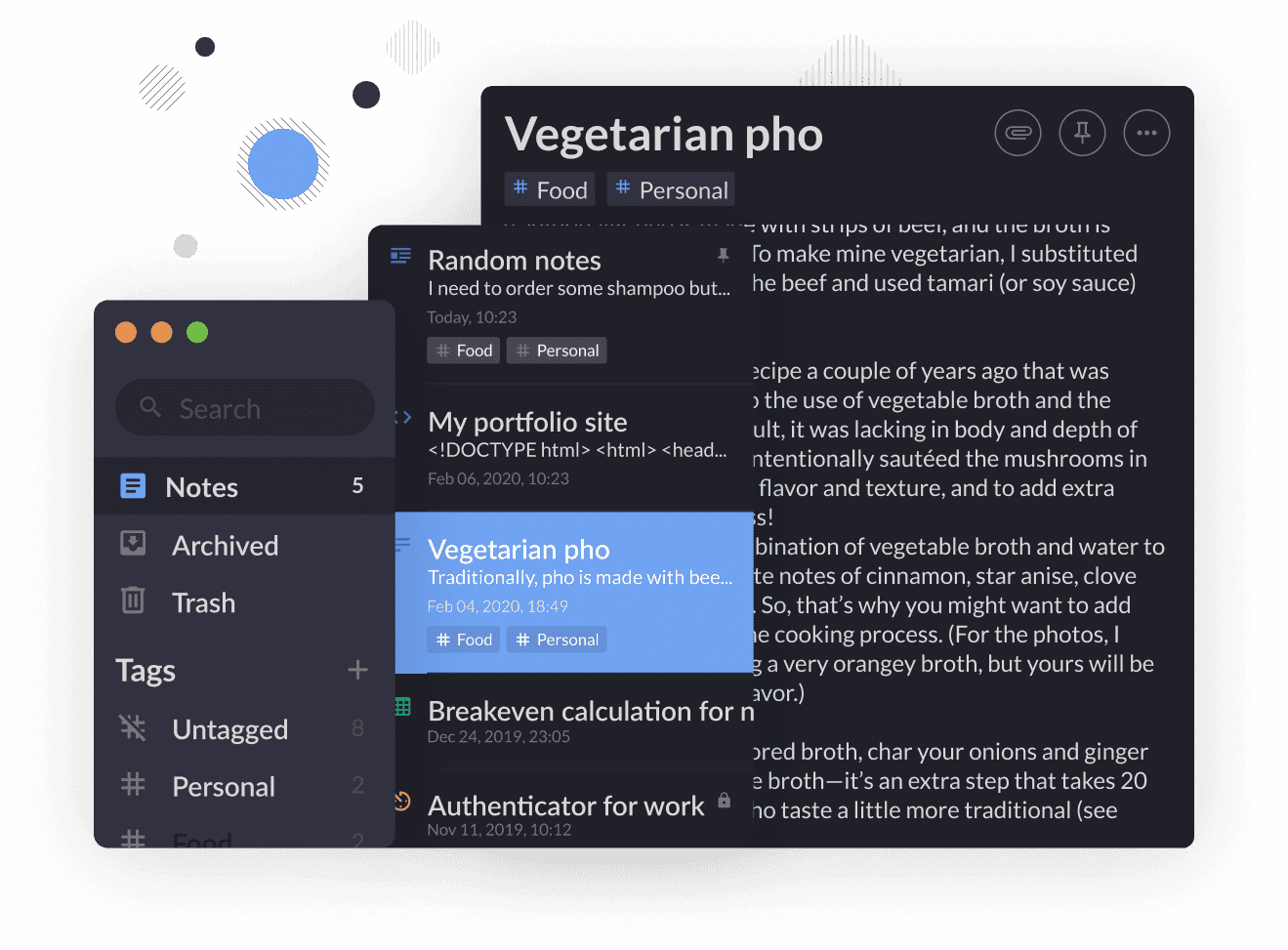
Standard Notes keeps your notes locked down and easy to reach—even when you’re offline. You don’t need an internet connection to get at your data. That matters if your priority is always-on access and strong security. The Basic plan costs $9 a month. It adds features you won’t find in the free version. The free tier lets you make notes forever, but it doesn’t cover cloud storage. So, backing up your work means paying more beyond the free plan.
It also works offline and focuses on privacy, but its pricing feels murky. Joplin is another option. Standard Notes spells out its subscription fees clearly (in practice). Notion is cheaper to start with and offers plenty of workspace tools. Still, it doesn’t encrypt or work offline as thoroughly as Standard Notes. Because of that, Standard Notes costs more and doesn’t automate tasks like some competitors do. It also handles fewer file types—no fancy multimedia tricks here. If you’re looking for affordable cloud syncing or want to switch easily between video and audio files, Standard Notes might leave you wanting more. Its sweet spot is people who need privacy and offline use, not those chasing AI features or full free cloud storage.
Encryption and giving users control are what set this platform apart. You can sync notes without ever going online, keeping them safe no matter what. That’s key if you’re privacy-conscious. A cool feature: it can blur your notes when you’re sharing your screen, so what you don’t want shown stays hidden. While it’s not packed with AI tools or fancy workspace bells and whistles, Standard Notes shines for anyone wanting simple, secure note-taking without clutter or distractions.
| ✓ Pros | ✗ Cons |
|---|---|
| Offers a free forever plan excluding online storage costs, providing basic note-taking capabilities without a subscription | Price floor of $9 per month may be considered high compared to some free note-taking alternatives with basic cloud sync |
| Standard Notes Basic plan starts at $9 per user per month with improved features beyond the free tier | Lacks certain AI-powered workspace features present in competing apps, reducing automation benefits |
| Supports offline access and synchronization, ensuring notes remain available without internet connectivity | No fully free online storage; users must pay extra to enable cloud backup beyond the free note-taking features |
| Includes Privacy Settings that blur notes when sharing the screen to protect sensitive information during collaboration | Does not include advanced file handling capabilities, limiting use cases that require extensive media or document management |
Joplin – Open Source Security and Offline Flexibility
No monthly plans, unlike most competitors. If you rely on flexible tiers or free document limits, Joplin might feel too rigid. Joplin charges a single $49 fee for optional cloud sync (for the most part). You get unlimited local note access plus full control over when and how your data syncs. Privacy leads here—a rare setup in this market.
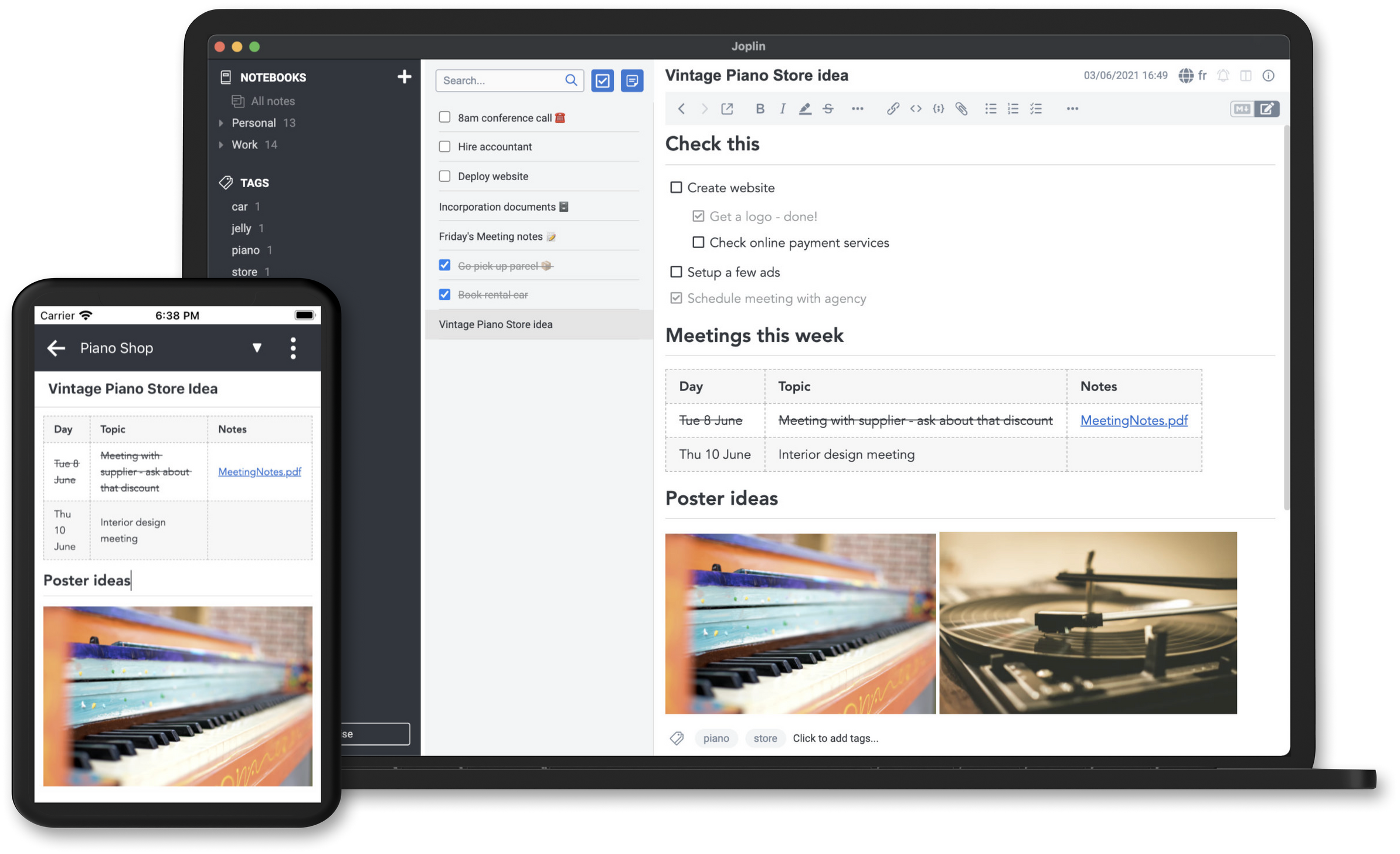
Most platforms push AI-powered workspaces and constant feature updates. Joplin skips that noise entirely. Instead, it offers open data access and lets you work offline in peace. You buy the sync license once. Simple ownership comes at the cost of subscription flexibility. Privacy enthusiasts who despise recurring fees will appreciate this. If you need AI tools or massive cloud storage, look elsewhere. Plus, Joplin’s security costs aren’t transparently itemized, which can frustrate budget-minded buyers.
Offline use with optional encrypted sync for $49 upfront—that’s the real win here. It suits people who want tight control over their data without surprise charges. Expect no free monthly documents or pay-as-you-go pricing. That lack of options might turn off users craving bundled or growable plans. Joplin fits best for those who prize consistent privacy and local note access rather than flashy collaboration or AI features.
| ✓ Pros | ✗ Cons |
|---|---|
| Supports offline access for note-taking without internet connectivity, useful for privacy-focused users. | No specific paid plan for Joplin besides a $49 price, which may lack tiered flexibility seen in $6 or $9/month plans. |
| Synchronizes notes across devices securely with user-selected options to control data privacy. | Absence of a free-tier with document limits such as 100 free docs per month offered by some alternatives. |
| Offers privacy settings that blur notes when sharing screens for improved confidentiality. | Lacks advanced AI-powered note workspace features available in some competitor apps like Weavernote. |
| Joplin is a free forever app, only charging users for optional online storage services. | Limited file handling and offline independence capabilities compared to some other note apps. |
Notion – Flexible Offline Capabilities and Collaboration
But once you outgrow that, the price jumps sharply. Notion’s free plan handles basic notes and simple group work (roughly). This makes it tough for individuals or small teams who don’t need fancy enterprise tools yet still exceed the free limits. The big step-up in price for advanced security features shows Notion aims mostly at companies that need compliance. Meanwhile, open-source rivals offer clear prices and stronger offline privacy. That extra cost—plus pricey AI add-ons—can push smaller budgets away. Notion stands out for smooth teamwork and flexible add-ons, though some pay a price in both wallet and privacy.
You can stretch Notion with custom code and automated workflows. Mid-sized teams who put integration and teamwork before privacy. This means teams can pull in outside data and build workspaces far beyond simple note apps. Still, most of these power-tools hide behind costly plans. You need both money and tech skills to open up them. The free plan’s limits often push users to upgrade early, especially since Notion lacks proven offline encryption or a solid privacy setup. That makes it less appealing for folks guarding sensitive data. Its sweet spot?

The free version covers basic sharing, but things ramp up quickly for pro features, with AI add-ons charging even more. Notion fits best for those valuing collaboration, custom workflows, and automation despite the cost and privacy compromises. Notion’s pricing steps target teams wanting flexible features mixed with enterprise-level security—but who don’t mind the lack of offline privacy. Offline privacy gets little attention in user forums. This signals a trade-off: Notion chooses a rich, customizable market over tight cryptographic security. So, anyone needing strong offline encryption or simple, free privacy-first apps will likely look elsewhere.
Notion’s Offline Privacy and Encryption Considerations
Notion doesn’t clearly explain how it handles offline privacy. Unlike apps like Standard Notes or Joplin, which boast tested, end-to-end encryption, Notion lacks verified offline encryption or zero-knowledge systems. That leaves sensitive info at risk when offline or moving between devices. The company favors real-time teamwork and platform flexibility over offline security guarantees. Teams that need rock-solid privacy beyond just being online should weigh these trade-offs carefully.
Notion Pricing Tiers and Usage Costs
Notion charges strictly per user, tied to what features you get (as a rule). The free plan covers basic note-taking and sharing, good for small groups. The Plus level adds more storage and tools for a moderate monthly fee per user. Then the Business tier demands a higher rate, with enterprise perks like SAML SSO boosting security compliance. Add optional AI, and costs climb sharply, scaling with team size. This model suits teams balancing growing features and expenses but strains smaller, budget-sensitive ones. It clearly aims at professionals, not casual note-takers.
If you’re eyeing open-source or better offline security, Notion’s costs might seem steep and fuzzy. Yet, teams that rely on its automation and integrations find it a tempting upgrade, even with privacy and price drawbacks. The combination of pricing and features pushes it one way: toward users with budgets for professional collaboration and expanding workflows, not those chasing low cost or strong privacy.
Who Should Use Notion
It best serves mid-sized groups focusing on collaborative workflows and custom-coded expansions. At heart, Notion attracts solidly professional teams who accept limited offline privacy in exchange for powerful collaboration and flexibility. Notion fits teams ready to pay for growable, customizable tools—especially those needing built-in automation and enterprise security like SAML single sign-on. Small businesses or solo users on tight budgets find the free plan too thin and AI features too pricey. Users needing vigorous offline protection or official encryption won’t find what they want here.
Official Notion pricing details and features clearly map these tiers and costs, marking Notion as a business-focused collaboration platform rather than a privacy-first note app.
| ✓ Pros | ✗ Cons |
|---|---|
| Free Notion plan provides note-taking and sharing features suitable for individuals and small teams. | Notion AI costs $200 per 10-person team monthly, which can be expensive for small businesses. |
| Notion Plus plan starts at $10 per seat per month with additional monthly 1,000 credits for extended usage. | Pricing tiers increased with Plus plan now starting at $10 per seat per month, impacting affordability. |
| Business plan at $20 per seat monthly includes advanced features like SAML SSO for enterprise security compliance. | Free plan limits might require upgrade to paid tiers for larger teams or advanced features. |
| Notion supports custom code extensions to enable integrations and sync external data for workflow automation. |
 Obsidian – Personal Knowledge Base with Local Storage
The mobile apps on iOS and Android got a big upgrade recently, but they still can’t match the speed and smoothness of the desktop version. As of 2026, Obsidian gives users a powerful note-taking app with no cost barriers, letting both individuals and businesses build big knowledge bases. Switching between phone and computer isn’t quite frictionless yet. The app’s design relies heavily on modular pieces—advanced users can tweak their workflows deeply using plugins and complex links between notes. That’s a big plus for people juggling complex systems (broadly speaking).
Standard Notes, by contrast, locks down privacy tight with built-in encrypted syncing and collaboration tools. Groups that need quick, secure multi-user setups may find Obsidian clunky unless they add extra infrastructure. Obsidian doesn’t offer encryption or sharing features out of the box. You have to patch those in via outside services, which adds setup hassle. Also, Obsidian’s missing native collaboration, unlike Standard Notes paid tiers that support teams. So Obsidian mainly suits solo users who want maximum customization and local control.
What sets Obsidian apart is its true freedom: you can take unlimited notes offline without subscription paywalls. Paid licenses pay for updates and add-ons, but the core stays free and offline-ready. Still, this freedom has costs: working offline and relying on plugins means users must handle encryption and syncing carefully on their own, requiring some tech skill. This platform mainly attracts people comfortable with control and custom configurations (generally). Its complexity and lack of built-in cloud sync keep teams from adopting it easily for simple, safe collaboration. If you worry about encrypting offline notes and personal data, the 2026 Digital Security Guide from Freedom.press covers solid strategies for protection.
| ✓ Pros | ✗ Cons |
|---|---|
| Obsidian offers a fully free note-taking service for individuals and businesses as of 2026. | Obsidian lacks built-in collaboration features key for team workflows. |
| The app underwent a major Mobile 2.0 overhaul improving functionality on mobile platforms. | Mobile app features remain limited, restricting some note-taking capabilities on phones. |
| Highly adaptable note-taking features cater specifically to power users needing customization. | Syncing and publishing notes functionalities require external services or setups. |
| Optional paid licenses provide additional benefits and support independent Obsidian development. | Users report a major learning curve affecting initial onboarding with Obsidian. |
Bear – Elegant Offline Notebooks for Apple Users
Bear offers a free version that works without internet (for the most part). You can take notes anytime, anywhere—even in airplane mode. If you want cloud syncing and extra features, there’s a one-time fee of $49. Unlike many competitors who charge $6 to $9 per month, Bear avoids subscription traps. Some people prefer spreading out payments, so monthly fees might suit them better. But the free Bear version never expires. Without online sync, juggling multiple devices can get tricky, though.

Notion is built around collaboration, but it doesn’t emphasize offline security much. Bear keeps your data local and private instead. That single payment might scare off users used to smaller, regular charges. Without cloud sync in the free plan, Bear feels clunky for anyone needing smooth cross-device workflows. It’s perfect if you want to guard your notes offline and avoid ongoing fees. However, if you rely on live syncing or AI-powered features, Bear won’t cut it.
Bear’s real strength lies in simple offline note-taking with a clear, one-time premium price. It skips AI tools entirely—some users find that refreshing for privacy and simplicity. When you pay $49, you open up syncing, customization, and export options. That turns Bear into a solid choice for those wanting a reliable app without monthly charges. Solo users or writers focused on control and dependability will appreciate this, though subscription-based apps usually shine in cloud teamwork. It’s a trade-off that could define your workflow quite sharply depending on your needs.
| ✓ Pros | ✗ Cons |
|---|---|
| Bear offers a free plan with note-taking and offline access except for online storage. | Bear’s $49 one-time price may be higher than monthly plans from competitors at $6 to $9 per user. |
| Price for Bear’s premium tier is a single $49 payment for full feature access. | Free Bear plan excludes online storage, limiting sync capabilities across devices. |
| Free Bear usage has no time limit, allowing indefinite note-taking at zero cost. | No mention of AI integrations, suggesting weaker automation features compared to AI-powered apps. |
Zettlr – Lightweight Markdown Editor with Privacy Features
Zettlr charges a one-time fee of $49. No monthly bills sneak up later. That makes budgeting simple and predictable. Notion starts cheaper but bills you forever. The more you add, the higher your cost climbs. It offers cloud syncing and AI tools. Those features help teams collaborate faster. Zettlr trades that for offline use and tighter privacy. Some users want to avoid recurring fees and keep everything local. But it’s tricky for anyone needing constant internet or AI shortcuts.
Zettlr’s desktop-only setup and fixed price attract academics and writers. The absence of AI tools is glaring when most rivals pack them in. They handle long, complex documents and focus on offline security. The app exports in academic-ready formats, including citations. That ease stands out next to cloud apps that constantly reshape their features. Yet, no mobile app exists. People traveling or rushing can’t grab quick notes on the fly. Also, there’s no built-in cloud backup; syncing falls on the user. You can try a free version for offline note-taking, though.
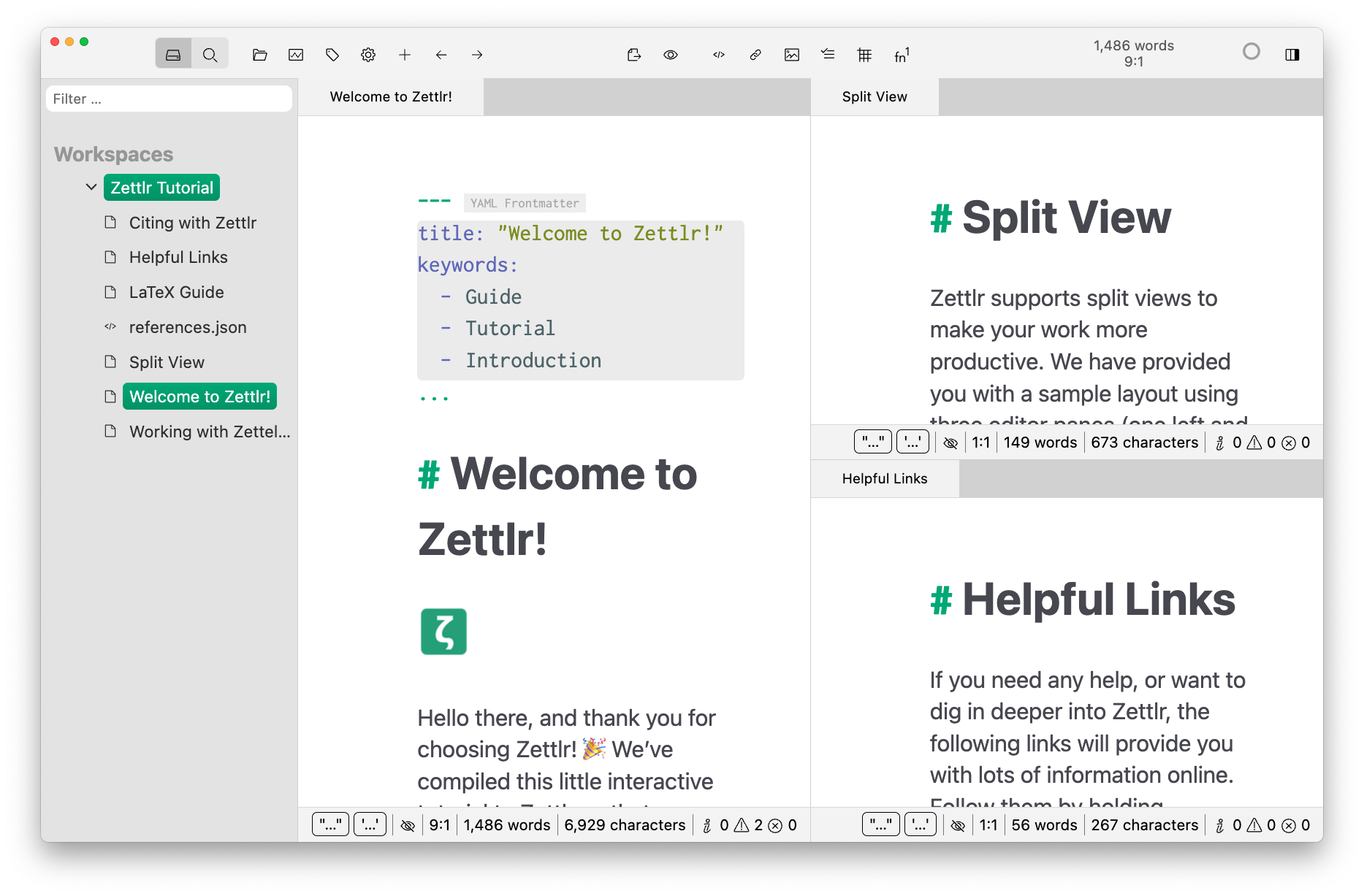
What truly sets Zettlr apart? Users chasing constant connectivity, AI perks, and on-the-go ease will find it wanting. Its offline-first design and privacy bits like note blurring during screen sharing. This feature protects sensitive data. That feature is rare among subscription models. It bets on a single payment, not endless monthly charges. That appeals to pros wanting ownership and control of their data. But this focus also shackles mobility and kills AI features many now expect. In the end, Zettlr fits those demanding stable costs and strong privacy protections.
| ✓ Pros | ✗ Cons |
|---|---|
| Zettlr is available for a one-time purchase price of $49 with no recurring fees. | Pricing at $49 upfront is a higher initial cost than monthly plans from $6 per user. |
| Offers a free tier allowing offline note-taking without recurring subscription costs. | No dedicated mobile app, limiting note-taking when offline on smartphones or tablets. |
| Supports strong exporting options suited for academic writing workflows. | Absence of AI-assisted features compared to competitors with AI-powered workspaces. |
| Includes privacy settings such as note blurring for secure screen sharing. | Lacks cloud sync and storage included natively, requiring external solutions for file backup. |
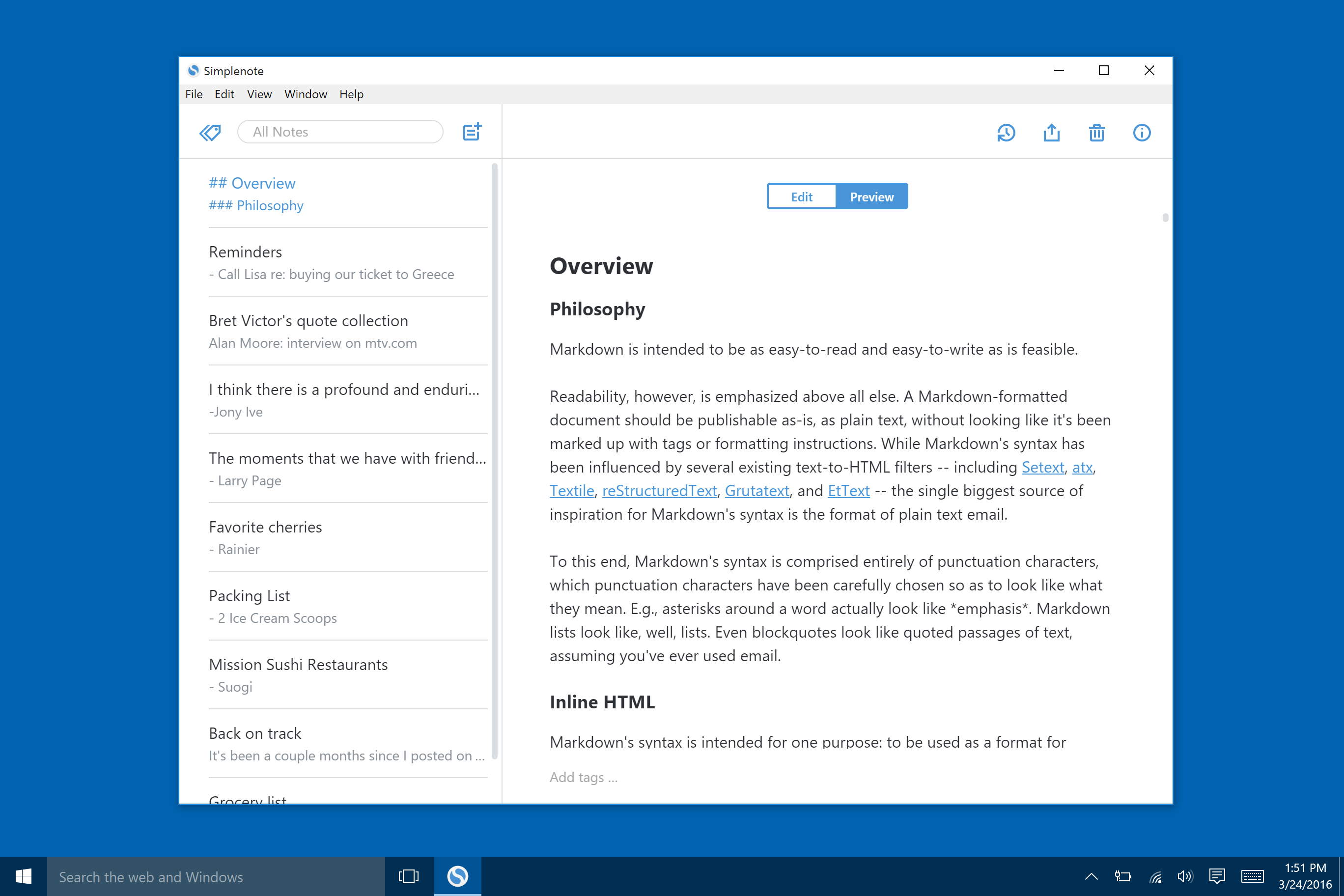
 Simplenote – Reliable and Fast Offline Note Taking
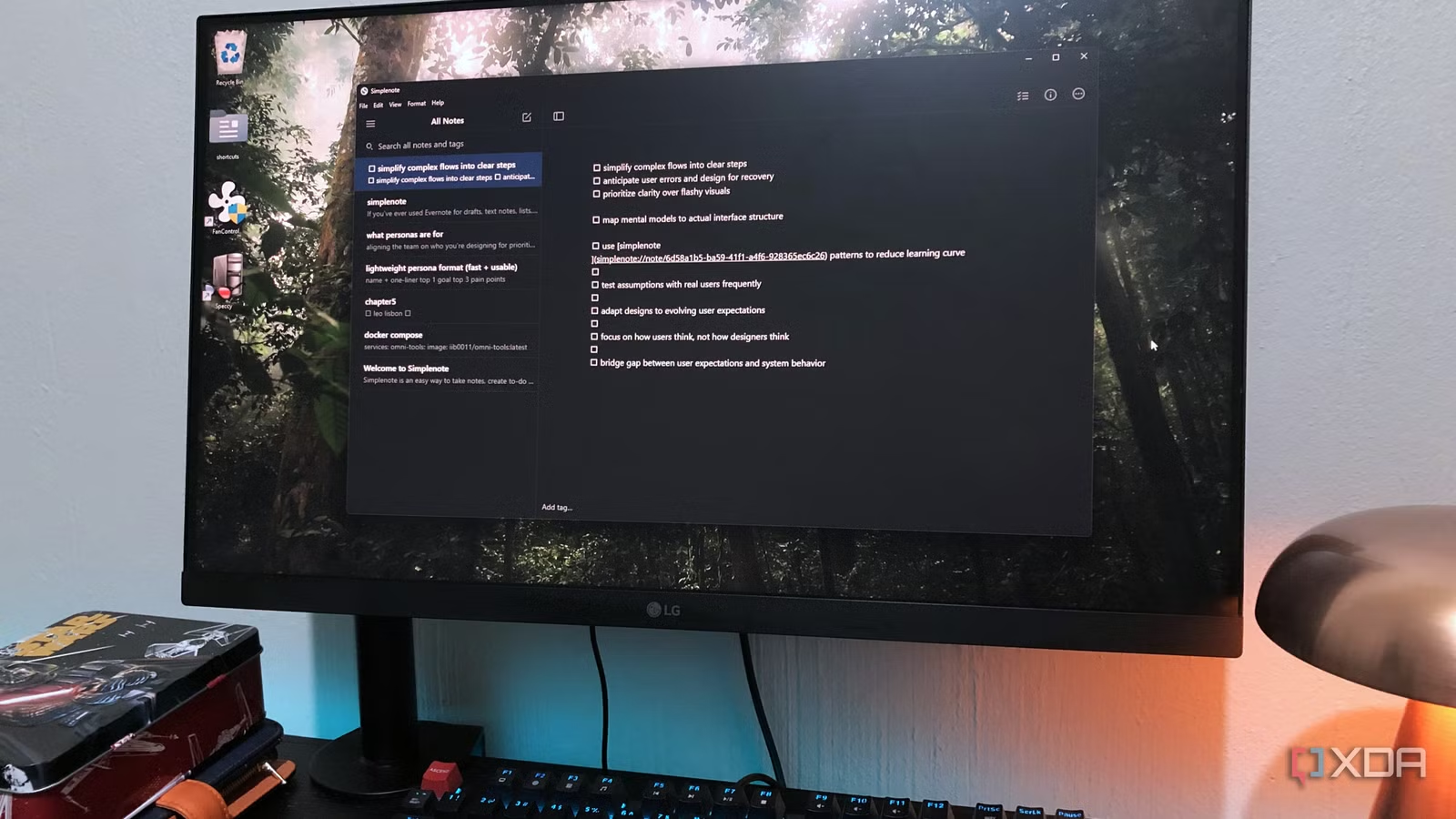
No unexpected outages. Simplenote’s free plan lets you update notes on all your devices and work offline without a hitch. The paid upgrade costs a flat $49, unlocking bigger online storage. You won’t find monthly fees here. That’s unusual because most apps charge subscriptions monthly, which some users find simpler to budget.
Standard Notes, by contrast, pushes heavy encryption and open-source privacy. Simplenote skips those layers to focus on fast syncing and straightforward use. If quick note access is your priority, it’s a solid pick. But that one-time $49 might feel steep compared to rivals offering free plans or monthly bundles of storage. It boils down to a trade-off: you get simple syncing but sacrifice advanced privacy controls and offline features.
Paid users get more storage, but encryption stays basic—no upgrades there. What makes Simplenote stick is its bare-bones look and rock-solid syncing, plus offline notes that open fast on any device. So, it’s perfect for everyday jotters or writers chasing speed and easy access. If encrypted backups or strong offline file handling matter, look elsewhere. Simplenote is best when you want a quick, light tool—convenient, not secure.
| ✓ Pros | ✗ Cons |
|---|---|
| Simple strong note-taking tool ideal for quick capture and retrieval of ideas | Simplenote charges $49 for its paid plan despite many competitors offering free services |
| Simplenote supports syncing notes across devices with offline access for uninterrupted usage | Basic paid plans in the market start from $6 per user per month, making Simplenote’s $49 one-time cost relatively high |
| Simplenote is free forever, with online storage included as the only paid component | Limited file handling capabilities reduce offline independence for detailed note management |
| Offers privacy settings that allow notes to be blurred when sharing the screen | Lacks advanced encryption features compared to other apps designed for strong default privacy protection |
 Turtl – Encrypted Notes for Improved Privacy
Turtl’s pricing lands squarely in the midrange for privacy-focused note apps. You get a free tier, but it tightens storage so much that paying for extra space feels almost inevitable. The app runs offline—sort of. Partial offline access can easily trip up folks who need full-time note availability without internet. Meanwhile, Standard Notes offers strong end-to-end encryption and offline support that works even without a subscription (by and large).
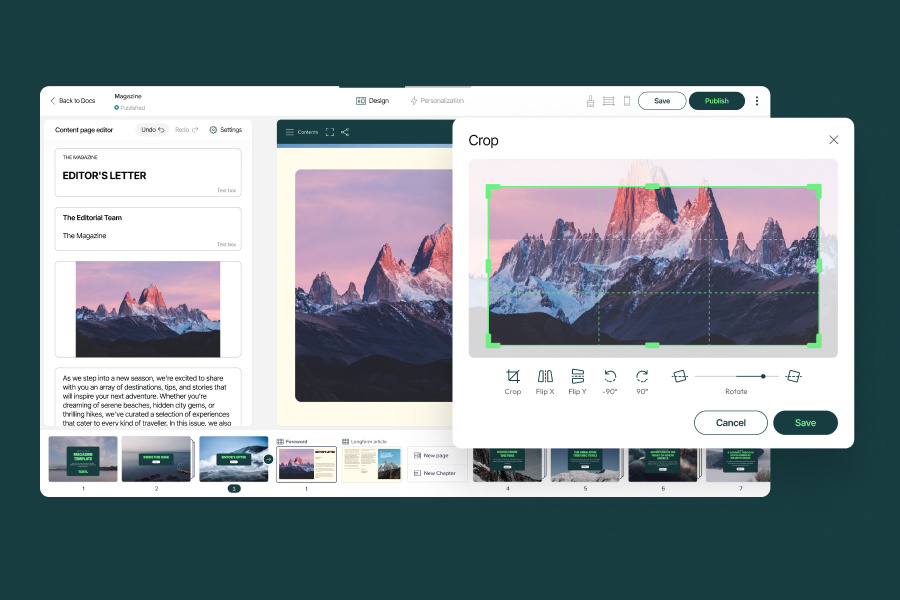
For teams that need online synchronization coupled with privacy safeguards like screen blur during sharing, Turtl’s paid plans are designed to meet those demands. Standard Notes suits users craving reliable encryption and offline freedom without hitting storage walls. It doesn’t handle complex file management or flaunt AI features like Notion. So if you want a privacy-minded app with some offline capabilities on a budget, Turtl’s a fit. But workflows demanding heavy file juggling or total offline autonomy? That’s where it might falter.
One standout: Turtl’s screen blur function—rare and handy for protecting sensitive info mid-share. Still, the freemium model leans heavily on nudging free users to pay, thanks to strict storage caps. Offline restrictions can frustrate anyone needing to jot notes when disconnected. Overall, Turtl suits small teams or individuals who focus on secure online syncing plus a few privacy perks. But those needing strong offline work or advanced file tools will notice its limits (broadly speaking). Its pricing is clear and straightforward, making it a solid, though somewhat specialized, pick in the privacy-centric note app arena.
| ✓ Pros | ✗ Cons |
|---|---|
| Basic plans start from $6 per user per month with higher-tier Pro plans at $9 per user monthly | Storage limits on the free tier require payment for additional online storage |
| Supports offline access as tested among 12 free note-taking apps in June 2026 | Lacks advanced file handling capabilities compared to some competitors |
| Offers a free forever note-taking app with online storage as the only paid component | Offline independence is limited, impacting users needing full offline notes access |
| Privacy settings include a feature that blurs notes when sharing the screen | No integrated AI-powered workspace like some note apps offer for productivity enhancements |
Custom Recommendations for Privacy-Focused Note Taking
Picking an offline note app depends on the privacy level you need—and how you actually work. The Best Offline Note Taking Applications For Privacy Focused Professionals combine end-to-end encryption with local data locks. Yet, some specialize better for certain pro workflows.
It stays offline by default and knows nothing about your notes. Standard Notes ranks highest, boasting tight encryption verified through open-source audits. If you handle sensitive info and require strict privacy, this is your best bet. The interface is clean, running smoothly across devices so you won’t fret over leaks during long sessions.
It’s ideal if you want privacy with a pinch of customization. But beware: the paid sync fees can pile up over time. Joplin offers flexible sync options plus offline edits. You get unlimited notes in the free plan—huge for researchers and writers juggling huge data heaps offline, avoiding subscription fees.
Obsidian uses a vault system and markdown to deeply link notes. Offline knowledge workers swear by it for building detailed archives. Everything stays local—no cloud forced—perfect for privacy-conscious users. Setting it up takes patience; it’s definitely not for quick note-takers. Best if you’re assembling big projects or mountains of research.
Bear attracts those seeking a sharp, offline note editor with firm privacy guards. It encrypts notes locally and backs up offline—but only runs on macOS and iOS. Apple-only. If you want rich text and tagging inside a sleek app, Bear is the natural choice.
Joplin – Open Source Security and Offline Flexibility
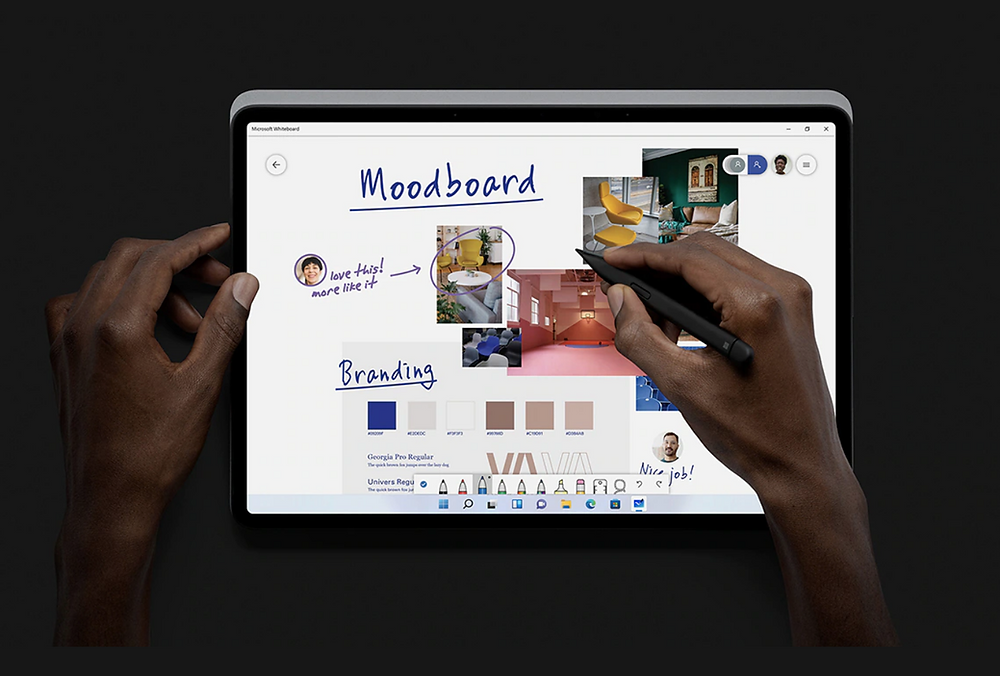
Zettlr targets academics and data analysts with an open-source setup full of research tools and offline support (broadly speaking). Your markdown files stay local, giving you full control. But its interface is dense—leaning heavily toward power users rather than casual scribblers or quick jottings.
It fits users with light security needs but isn’t great if privacy tops your list. Simplenote is free and works offline, but it sacrifices advanced encryption for simple syncing.
Notion, renowned for teamwork, struggles with offline privacy. Its encryption coverage is patchy, and your data sits on their servers. If locking data offline matters to you, tread lightly, even though its feature set looks impressive.
Turtl packs solid privacy and offline support but slashes free storage sharply, nudging users toward paid plans. Teams balancing shared spaces and encryption must weigh if the cost justifies the benefits.
The Best Offline Note Taking Applications For Privacy Focused Professionals emerge when privacy tools and offline features align with your workflow. Standard Notes’ locked-down, offline-first design has you covered. Researchers rely on Joplin or Obsidian for total offline control. Bear fits like a glove.
Notion – Flexible Offline Capabilities and Collaboration

Notion’s teamwork sparkle dims under privacy scrutiny when offline needs kick in. If you care about price and ease with fewer extras, Simplenote offers a lightweight, quiet option.
Privacy isn’t one-size-fits-all—the right offline note app protects your secrets without draining your time or wallet. To choose wisely, analyze your core uses, devices, and budget; then dive into audits and user reviews.
Essential Insights on Offline Note Taking for Privacy-Focused Professionals
Emphasize Strong Encryption Standards for Notes Security
Offline note apps that really protect you use end-to-end encryption. Your data locks on your device before it travels anywhere. Take Standard Notes. It employs AES-256 encryption—a method vetted and trusted by cybersecurity experts to keep intruders at bay. Even if someone cracks your device, they can’t read your notes without your key.
Recognize the Importance of True Offline Functionality
Some apps only fake offline mode by caching data temporarily. Real offline applications save and encrypt your changes completely on your device, no internet needed. That way, your privacy stays intact when connections drop or become unsafe. Joplin and Standard Notes handle this properly—they don’t expose metadata while you’re offline. Privacy researchers consider this a major win.
Understand How Compatibility Affects Cross-Device Privacy
How smoothly your notes sync across devices shapes your privacy risks. Apps using open-source formats like Markdown keep you clear of proprietary lock-ins and let you manage backups better. Standard Notes runs on Windows, macOS, Linux, iOS, and Android, providing reliable offline support everywhere. This steady cross-platform coverage slashes privacy hazards tied to syncing.
Identify Subscription Costs and Their Privacy Implications
Strong encryption or offline features often hide behind paywalls in free note apps. Standard Notes offers encrypted note-taking for free, but extras like additional offline editors and cloud sync cost $9.99 a month. Understanding these prices helps you weigh your privacy needs versus budget. Some free tools quietly leak metadata or keep backups unencrypted without clear notice.
Recognize Why Privacy Communities Prefer Open-Source Platforms
Privacy advocates favor open-source note apps since everyone can inspect and audit their code. This transparency shrinks risks of backdoors or undisclosed data grabs. Obsidian and Joplin win respect for their local-first design and visible repositories—proof trust extends beyond advertising.
Understand the Balance Between Usability and Security
Pro apps try to smooth syncing and offline use without weakening encryption. But sometimes better security means losing features or UI polish. Professionals need offline access that never spills encryption keys or leaks metadata to outsiders—their workflows depend on this strict guardrail.
Benefit From Offline Note Taking to Limit Attack Surface
Keeping notes offline narrows the target for hackers who exploit cloud vulnerabilities or intercept data during transit. It puts a barrier between your secrets and external threats—essential when protecting client info or sensitive personal records. Independent digital security studies often highlight this defense as key.
Avoid Proprietary Formats to Help Export and Portability
Proprietary formats trap your notes and complicate audits. Experts recommend apps that save notes in universal forms like plain text or encrypted JSON. This approach lets you move and recover data freely without vendor dependence.
Maintain Updated Software and Backup Practices
Encryption isn’t a set-and-forget solution. You must patch your software regularly to close security holes. Professionals combine encrypted offline apps with frequent local backups stored securely. This mix prevents data loss and blocks attacks triggered by software bugs or accidental deletions.
Evaluate Syncing Options Carefully
Offline apps sometimes offer cloud syncing. Don’t enable it without checking what is encrypted and where metadata might leak. Some providers use zero-knowledge cloud syncs; others stash data in standard clouds that could expose note titles or timestamps. Reading privacy policies and audit reports remains your best shield.
Integration with Other Tools Can Impact Data Safety
Offline note apps often support plugins or integrations that add features. Each additional element raises security risks if it isn’t scrutinized carefully. Experts recommend limiting third-party plugins—and using only those with a clean, open-source pedigree—to keep your notes genuinely secure.