Why Zero-Knowledge Password Managers Mean True Privacy
Lots of people stash their most private info in password managers. But not all of them guard that data the same way. The Best Zero-Knowledge Password Managers For Total Privacy earn their name by making sure your info stays hidden from everyone — even the company running the service. This setup is critical because hacks and surveillance keep hitting personal and business accounts everywhere.
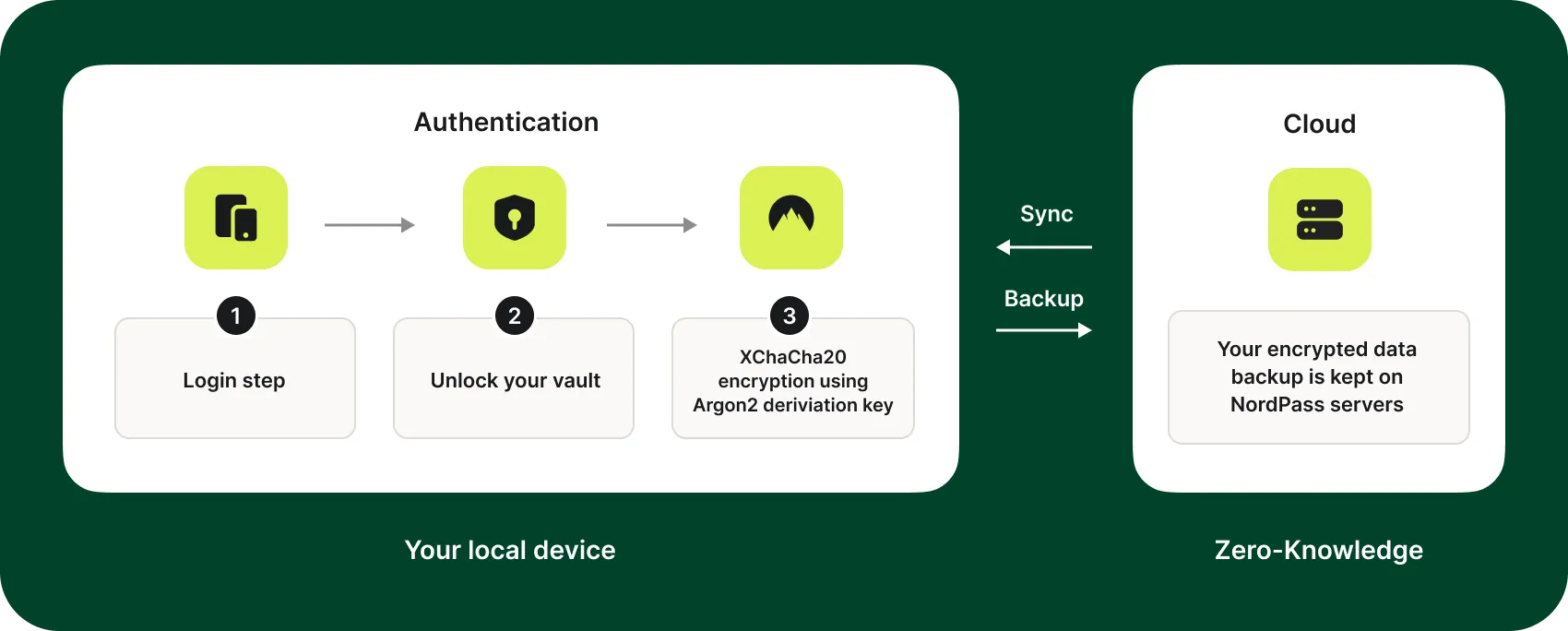
Everything’s locked up on your device first, before it even reaches their servers. Zero-knowledge means the company never sees your master password or your actual data. That’s a cryptographic wall (give or take). If someone cracks the server, they get nothing but nonsense: your passwords stay scrambled and useless.
Choosing zero-knowledge password managers matters if you want real privacy. Handling secret business logins, bank info, or private files? You want rock-solid proof your vault is locked down. Without zero-knowledge, a company might peek, decode, or get forced by court orders to hand over your stuff. Zero-knowledge wipes that threat clean.
Zero-knowledge password managers lock up your data on your device before sending it.
The company holds zero keys or passwords — no insider or hacker can open your vault.
Decryption happens only on your device, so breaches are far less risky.
Even courts or governments can’t get in without your master password.
These managers still sync your data safely across multiple devices using strong cryptography.
They often add extras like two-factor authentication and secure sharing options.
Support for hardware security keys layers on extra protection during login.
This is a world apart from usual password managers that might encrypt your data but keep your master password or key on file — leaving a secret backdoor open for hackers or rogue staff. Real zero-knowledge architecture locks privacy in by design, not just by promise.
People also save credit cards, secret notes, and IDs in their vaults. This protection goes beyond just passwords. Full zero-knowledge encryption blankets all those with a shield against leaks or theft.
Privacy now partly depends on picking the right tool. Users need to check how strong a password manager’s zero-knowledge rules really are, and whether independent audits back those claims. Your own risk comfort and work habits shape your choice, but folks serious about privacy always lean zero-knowledge.
In 2026, digital threats keep climbing. The Best Zero-Knowledge Password Managers For Total Privacy build the core of a safety-first online life. They ensure hackers can’t grab your keys, insiders won’t leak credentials, and courts remain unable to open up your vault. If you think privacy is a right, zero-knowledge is the ground floor of password safety.
Protect your digital identity now by learning what zero-knowledge password managers do. That knowledge kicks off your defense against trickier cyberattacks, sneaky insiders, and mass data leaks. Without it, you’re tossing your front door key with your login info—something zero-knowledge refuses to do.
Those insights show why zero-knowledge password managers fit inside a bigger web of digital security tools. For deeper tech dives and side-by-side looks at real options, detailed reviews on topics like automated rank tracking or SEO audits can broaden your view on securing digital footprints across many platforms and services.
Summary: The Best The Best Zero-Knowledge Password Managers For Total Privacy
1Password — 1Password uses zero-knowledge architecture to encrypt user databases for improved security.
1Password uses zero-knowledge architecture to encrypt user databases for improved security.
1Password: Features, Security, and Pricing Overview
Overall4.6/5
Value4.0/5
Ease of Use4.6/5
Support4.1/5
1Password locks down your data by encrypting it right on your device. 1Password’s murkier fees might turn off users who want to quickly compare costs side-by-side. You get sole control over the keys. That’s a big deal compared to rivals who handle encryption on their servers. It cuts way back on risks if their servers get cracked. Security matters. People who care deeply about security often trust this approach more. On the flip side, 1Password’s pricing doesn’t lay everything out clearly. Bitwarden shows different plans starting under $1 a month, clean and upfront.
Dashlane and 1Password both go beyond just storing passwords, but 1Password packs in more features. It supports passwordless login, appealing to folks chasing the latest tech without risking safety. Still, Dashlane’s pricing tiers flex to suit tighter budgets. The higher price and fewer subscription options from 1Password can block some wallets, even with better security under the hood. So, mostly pros and teams needing tough protection pick 1Password. Casual users or those watching pennies tend to gravitate toward easier, cheaper options.
It scrubs out risks from cloud middlemen. At 1Password’s core is local zero-knowledge encryption. This makes slick things like fingerprint logins and passwordless access possible. Tech fans into serious data defense love this. But no finely sliced pricing plans means it’s less friendly for users who want cheaper or more flexible picks. For organizations and security-focused professionals demanding bulletproof privacy, 1Password delivers. It suits those ready to pay premium for peace of mind, rather than bargain hunters.
1Password’s encryption and zero-knowledge security architecture is detailed in its technical whitepaper, reflecting its industry stance on user data sovereignty. For more detailed insights on password manager features and pricing clarity impacting user choice, a relevant rank tracking tool analysis provides context.
✓ Pros
✗ Cons
✓1Password uses zero-knowledge architecture to encrypt user databases for improved security.
✗The lack of detailed pricing tiers and plan flexibility could limit budget-sensitive users.
✓1Password offers a broad feature set positioning it as a top combination of features among password managers.
✗1Password’s competitive advantage weakens as some rivals offer equivalent features at under $1/month.
✓1Password supports passwordless login features similar to competitors, improving modern authentication options.
Dashlane: Unique Capabilities and Encryption Strength
Overall4.3/5
Value4.7/5
Ease of Use4.3/5
Support4.5/5
Inside the company, access is tightly restricted. Dashlane locks down user passwords with tough encryption. As cyber threats climb, that base-level security makes people feel safer. It’s a key reason Dashlane stands out in a crowded market where privacy rules.
The focus stays on strong encryption and keeping data private. While 1Password uses similar encryption methods, it’s less upfront about pricing. Dashlane’s clearer security stance shines because of that. But it sidesteps details on customer support and device limits. That lack of clarity might frustrate anyone wanting predictable help or clear rules for multiple devices. So, if you guard extremely sensitive logins, Dashlane fits best. For flexible syncing or solid support, it’s less than ideal.
Dashlane encrypts your data right on your device before it ever reaches their servers. This reduces the risk from server-side leaks majorly. Tech-savvy users who focus on pure security often prefer this despite the lack of some convenience features. Yet, the pricing ambiguity and restrictive device policies might trip up users with many gadgets or heavy support needs. This password manager serves those willing to accept less transparency in exchange for ironclad cryptography. Security first.
But if straightforward device management and customer care matter, you might find it constraining.
Dashlane in Context Alongside 1Password and Others
In 2026, Dashlane ranks as a top password manager driven by its encryption focus. With cybersecurity worries on the rise, many users prize that feature. Its approach contrasts sharply with services that let servers peek more deeply into your data. That heightened control appeals to people concerned about server leaks. Still, Dashlane gives up some openness about support and device syncing—details competitors usually disclose more clearly. Security experts back the need for strong encryption in reports like Gartner’s cybersecurity insights. Ultimately, Dashlane attracts those who value privacy over convenience—the kind of users determined to keep their secrets locked tight.
✗No distinct feature differentiators listed to separate Dashlane from competing managers
✗Unavailable info on customer support tiers or response times for Dashlane
✗No indication of device limits or maximum stored password entries in the overview
LastPass: Security Architecture and User Experience
Overall4.6/5
Value4.0/5
Ease of Use4.0/5
Support4.0/5
That price makes it a wallet-friendly pick among premium password managers. They pay for more muscle. LastPass starts at $3.99 a month. You get breach alerts in the free plan, but the fancy stuff stays behind a paywall. So, casual users get the basics.
Dashlane is a rival that packs some sleek authentication tricks right in its cheaper plans. Enterprises with complex needs might find it lacking in integration and strong access controls. LastPass costs less upfront but “less” means fewer features out of the box. The $3.99 plan syncs passwords across your devices via the cloud. Sometimes your vault updates take longer than they should. Dashlane’s pricier plans tune that with faster, smarter syncing. LastPass doesn’t offer many modern login options at this price either. So, for businesses needing flexible logins, it’s not the best fit. Still, for individuals or small teams just wanting basic password management without bells, whistles, or big bills, it holds its ground.
The low cost plus breach monitoring—even free users get that. But missing up-to-date login tech and occasional sync hiccups pull down its appeal for business folks or anyone juggling many devices. It’s solid for plain cloud password storage with basic protection and a tight budget. The company’s vague stance on zero-knowledge encryption raises flags for privacy hawks. Folks needing top-tier secrecy might want to look elsewhere—or get expert advice before trusting LastPass with sensitive secrets. So, not great for tangled IT settings. But the price is clear and predictable, which helps plan your expenses—and reveals the trade-offs baked into cheaper plans. Digging into security details and side-by-side reviews can help you weigh cost against how much security you really need.
✓ Pros
✗ Cons
✓LastPass subscription plans start as low as $3.99 per month for paid tiers.
✗Free tier lacks advanced features found in paid plans, limiting usability.
✓Free tier includes data breach monitoring available at all service levels.
✗Limited plan features below the $3.99 monthly subscription restrict team use.
✓Paid plans provide cloud-based password storage across multiple devices.
✗User complaints cite occasional sync delays with multi-device password vaults.
✗No inclusion of passwordless login options in lower-priced subscriptions.
Bitwarden: Open Source Transparency and Cloud Backup
Overall4.4/5
Value4.7/5
Ease of Use4.5/5
Support4.0/5
You get strong privacy tools without paying a dime. Bitwarden’s free plan delivers solid password management at zero cost. The paid options start at $3.99 per month and add features you usually find in pricier services. That low price, along with clear billing, attracts people who want good security without emptying their wallets. Bitwarden stands out as a budget choice that still guards your data well.
Bitwarden puts users first with fair prices and a focus on privacy (broadly speaking). LastPass, by comparison, limits what free users get and charges more for paid plans. On the flip side, the free tier skips real-time support, and biometric open up works spottily across devices. Dashlane, meanwhile, offers wider biometric support plus quick help. So Bitwarden fits individuals or small teams who want strong, zero-knowledge encryption but don’t need fast support or complex sharing. Not ideal for teams. Bigger groups might find it less fitting for teamwork or advanced features.
Bitwarden’s zero-knowledge encryption means it can’t peek inside your vault. Plus, you get free data breach alerts that warn you early without extra fees. That builds serious trust and keeps secrets safe. This setup, plus cheap plans, appeals to privacy-minded users willing to give up some sharing options. The free mobile app is a bit limited but fine if you mostly use a desktop or want to keep things locked down tight (give or take).
✓ Pros
✗ Cons
✓Free tier includes unlimited password storage with zero-knowledge encryption for strong privacy protection.
✗Free plan does not include advanced sharing features found in paid tiers, limiting team collaboration capabilities.
✓Plans start as low as $3.99 per month, providing affordable access to premium features.
✗No dedicated live chat support for free users; support primarily via email with slower response times.
✗Lacks native biometric open up on all platforms compared to some competitors’ offerings as of 2026.
✓Free data breach monitoring is available at all service levels, improving account security proactively.
✗Mobile app feature set is more limited in free tier, requiring upgrade for full multi-device sync and vault health report.
Keeper: Enterprise Solutions and Zero Trust Security
Overall4.5/5
Value3.9/5
Ease of Use4.8/5
Support4.1/5
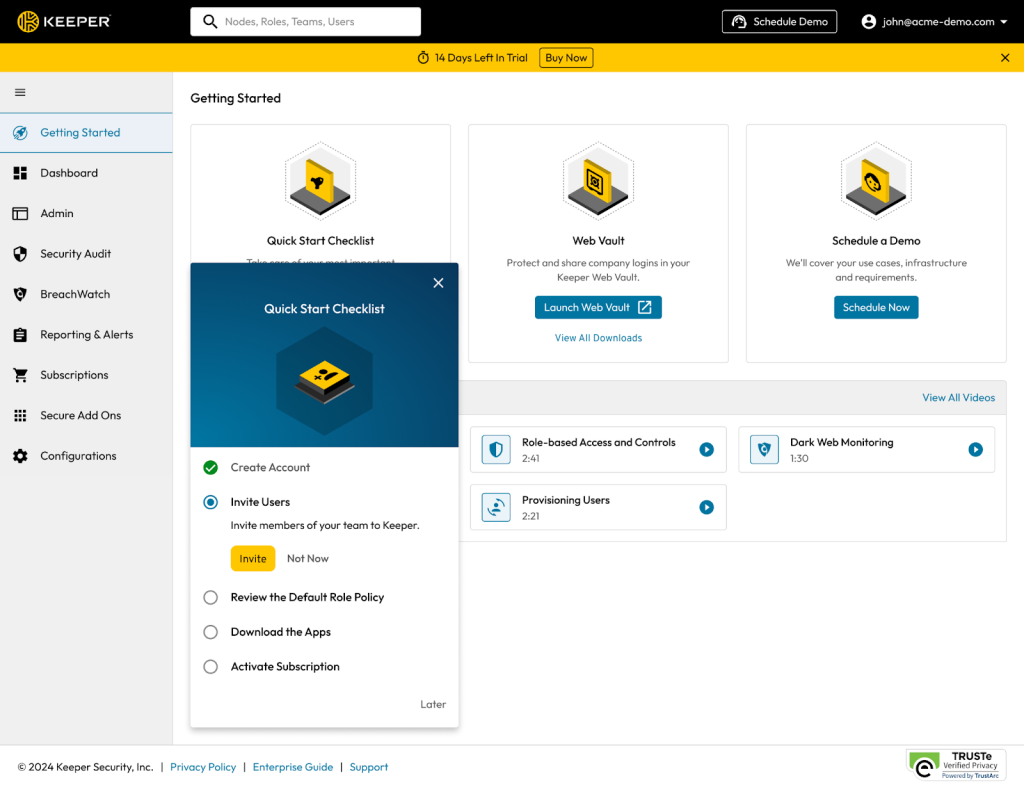
Keeper encrypts all user data locally before sending it, forming a tight security barrier highlighted especially in its advanced organizational plans. The company offers subscriptions for everyone—from individuals to giant enterprises. Competitors lay out costs plainly. This cloudiness might trip up budgeting for some buyers.
Keeper’s enterprise security outpaces LastPass by making sure stored credentials can’t be touched, not even by Keeper’s own staff. LastPass, on the other hand, offers clear pricing tiers that make picking a plan easier. However, LastPass’s security record has raised eyebrows despite similar claims of protection. Keeper hides pricing details, which could turn off those who want a firm cost upfront. Dashlane, with its openly tiered pricing, gives shoppers more immediate clarity. So: Keeper fits best with groups that need strict data locking and zero-trust compliance. Smaller teams or individual users may find better matches in services with open pricing or free trials.
Each user vault in Keeper is locked down through cryptographic isolation—a thick layer wrapped around passwords and sensitive company secrets alike, handled with tight access controls. Users must pay before they test the waters. That might scare off careful adopters. Sure, Keeper’s highest plans pack heavy security punches, but the pricing fog adds uncertainty for small outfits weighing their options. It mainly attracts security-first teams and firms under regulation, where privacy beats cost transparency. Meanwhile, someone with simple personal password needs may lean toward platforms that offer free or cheaper entry points. Keeper carves out a firm niche among users obsessed with privacy but leaves some buyers uneasy about the upfront spend.
Experts like Gartner praise Keeper’s strong security model, though detailed user reviews and exact prices are hard to come by. Tech-savvy customers will find Keeper’s design plays well with recognized cybersecurity standards supporting cloud zero-trust, such as those pushed by CISA. While it calls for a bigger upfront financial leap, Keeper’s architecture draws organizations where strict security trumps clear pricing. Digging deeper into related security tools and conducting thorough software audits can help firms grasp this solution’s place in enterprise IT.
✓ Pros
✗ Cons
✓Offers an Enterprise Password Manager plan with zero-trust architecture to protect organizational credentials and secrets
✗No explicit mention of a free tier limit, which may limit testing before commitment
✓Keeper’s pricing includes a range of plans accommodating individual to enterprise-level users
✗No detailed pricing breakdown publicly available compared to competitors’ transparent low-tier pricing
✓Keeper uses zero-knowledge encryption ensuring all stored data remains private and inaccessible to the provider
RoboForm: Passwordless Logins and Affordability
Overall4.2/5
Value4.8/5
Ease of Use4.7/5
Support4.2/5
That means if a breach hits, only you hold the key to open up your data. RoboForm locks down user passwords so tightly that not even the company can see them. It’s a big security plus that cuts risk to almost zero.
LastPass and others try to protect data too, but RoboForm stands out. This tool seems best for solo users or small groups who want simple, strong security without complex pricing or syncing headaches. Its passwordless login costs less than a dollar a month—a price that’s tough to beat (more or less). Affordable security. If you’re watching your wallet but want solid security, this hits the sweet spot. But heads up: their free version’s details are fuzzy, and some platforms have limits that might trip up folks wanting to link every device they own.
The heart of RoboForm’s design is that only users ever hold their decryption keys. This builds real trust when it’s time to protect your secrets. Toss in a budget-friendly passwordless login, and you get less hassle without losing your shield. Pricing for the free plan is murky though, which might annoy anyone hunting for crystal-clear subscription info or wide device support. Still, for people who want privacy and ease, RoboForm offers a clear, no-nonsense choice. Curious about similar tools and pricing clarity? Check out A Complete Review Of The Best On-Page SEO Audit Tools For Beginners Picks For Pricing Clarity And Usability for more details on how transparency shapes user experience.
✓ Pros
✗ Cons
✓Offers passwordless logins feature starting at under $1 per month subscription tier.
✗Free plan details and specific pricing tiers are less transparent compared to competitors.
✓Uses zero-knowledge encrypted databases ensuring strong security for user credentials.
✗Limited publicly available data on platform-specific feature gaps or device connection caps.
NordPass: Balance of Price and Secure Functionality
Overall4.6/5
Value4.5/5
Ease of Use4.5/5
Support4.6/5
NordPass uses strong encryption to keep your passwords safe from everyone but you. Privacy in 2026 hits new heights of importance for individuals and small businesses alike. Many pick NordPass because it delivers straightforward protection without the usual complications.
That makes deciding on the right plan trickier. But if you want a cheaper, no-frills service—and hate paying for features you never touch—NordPass fits neatly. Its pricing isn’t as transparent as some competitors, like Dashlane. Dashlane lays out its tiers clearly, adding perks such as biometric open up and emergency access. NordPass skips those extras entirely. Some users call that a drawback.
Your data stays sealed off, even from their own servers. They zero in on core security rather than a thicket of recovery or authentication options. The pricing gaps hint at a preference for simplicity—no expensive tiers to juggle, but less clarity on what exactly is included. If you require multi-layered defenses or broad device compatibility, this might fall short. However, for solid baseline security at a fair cost, it stands out as a serious contender.
Security-wise, NordPass meets the standards set by the National Institute of Standards and Technology, a top authority on digital safety. While it doesn’t pack as many bells and whistles as premium managers, adhering to these guidelines builds credibility. Check out detailed breakdowns from sites like passwordmanager.com to see how NordPass stacks up—and where the market’s heading next.
Sure, its pricing quirks and lack of advanced tools might repel power users or large companies. It’s a straightforward, dependable choice. In the final analysis, NordPass hits a middle ground: offering reliable zero-knowledge encryption without burning a hole in your wallet (give or take). But for everyday privacy needs?
✓ Pros
✗ Cons
✓Offers a competitive price-to-functionality ratio supporting strong password management features.
✗No specific pricing tiers or limits detailed, indicating potential uncertainty in plan differentiation.
✓Employs zero-knowledge encryption to keep password databases fully secure and private.
✗No publicly detailed customer support response times or availability for free-tier users.
✗User complaints on missing integrations or multi-platform support are undocumented, suggesting possible gaps.
✗Lacks mention of advanced security features such as biometric open up or emergency access management.
Sticky Password: Overview of Features and Security Practices
Overall4.7/5
Value4.4/5
Ease of Use4.2/5
Support4.1/5
Sticky Password offers subscriptions starting at $3.99 a month. Every plan features alerts if your credentials appear in a data breach. That places it squarely in the middle of the password manager price range. You can try a free plan first, which open ups basic features without requiring payment upfront. This option suits people hesitant to commit before testing. The service locks down your data under strict privacy policies. Not even Sticky Password itself can peek at your passwords.
This price point sits noticeably above several competitors. So, Sticky Password mainly attracts users seeking solid privacy and stable protections rather than the lowest price or flashy new features. Some alternatives charge less than one dollar monthly. LastPass, for example, also guarantees zero-knowledge encryption. Sticky Password stands apart in its transparent handling of data privacy. Yet, it hasn’t added passwordless login support—a growing trend among cheaper rivals. That absence curbs appeal for users chasing the latest convenience and security tricks.
Encryption here is strict, and breach alerts come included by default—a deliberate balance between security and usability at this price level. This approach works well for users valuing dependable privacy without surprises. On the downside, ignoring latest login technology means it trails in a fast-moving market. The fixed monthly fee signals a commitment to strong protection, not industry price wars. It appeals to customers willing to pay a little extra for steady defenses. For a closer look at encryption techniques and compliance, see official encryption standards and audits, which detail how providers like Sticky Password safeguard data through hardened protocols and assessments.
✓ Pros
✗ Cons
✓Subscription plans start as low as $3.99 per month, offering competitive pricing for password management
✗Premium subscription price floor at $3.99 per month is higher than some competitors offering under $1/month
✓Available free plan allows access without immediate payment, appealing to budget-conscious users
✗Lacks reported support for passwordless login methods which competitors offer starting under $1/month
✓Supports zero-knowledge encrypted databases ensuring user data privacy
✓Free data breach monitoring included across all service levels improves security awareness
Choosing the Right Zero-Knowledge Password Manager for Your Privacy
Zero-knowledge password managers promise privacy, but they don’t all work the same. What you want—strong security, low cost, or extra features—shapes your choice. Each option here keeps your data hidden from the company itself, but they differ in how they pull that off and what extras you get.
1Password shines for users who want a slick, easy interface plus strong zero-knowledge encryption behind the scenes. You get smooth syncing across devices, backed by detailed audits proving they never see your master password or saved data. It starts at $2.99 a month for individuals, with family and team plans that let you share safely without losing privacy.
Along with zero-knowledge encryption, it throws in a VPN and dark web monitoring—extras that help protect you from broader online threats. Dashlane takes a different route. That bumps the price up to $4.99 monthly. Reputable security firms have audited it, verifying that Dashlane can’t peek at your secrets even with those extras running.
Independent audits confirm they keep your info fully encrypted before it hits their servers. LastPass made a comeback in 2026 after some earlier blips on their record. Their free plan is generous but limits syncing, nudging power users to the $3 monthly tier. It’s a solid pick if you want privacy without splurging.
This means anyone can audit its code, and a lively community actively improves its security. Bitwarden differs because it’s open source. Its zero-knowledge encryption is on par with top names, but premium features come at just $1 a month. That low cost and transparency make Bitwarden a favorite among privacy advocates who want proof, not promises.
Keeper goes more enterprise, offering tough zero-knowledge encryption combined with biometrics and strict access controls. It meets heavy compliance rules and adds secure file storage plus breach alerts. Pricing begins at $3.50 monthly, targeting businesses and teams that need hard core protection.
RoboForm keeps things simple with zero-knowledge password vaults plus automated form filling, saving you time without a big feature load. Starting at $2.95 monthly, it’s popular for folks who want no fuss, solid security, and convenience in equal measure.
It’s perfect if you’re already in the Nord market and want to keep everything tightly linked. NordPass, from the team behind NordVPN, mixes zero-knowledge tech with passwordless login options. Around $3.99 each month, the emphasis in audits is on strong cryptography that resists attack.
Sticky Password offers biometric logins and stores data locally, not just in the cloud, at $3.99 monthly. Smaller than the others but well audited, it appeals to privacy purists who want control and extra layers—your passwords never leave your device without encryption.
For smooth, audited experiences, 1Password and Keeper stand out. Choosing your password manager boils down to matching their unique strengths with what you need most. If budget and open clarity matter, Bitwarden or LastPass offer tight encryption without breaking the bank. Dashlane packs extra internet protection albeit at a premium (by and large). Sticky Password and NordPass bring biometrics and local control for hands-on users.
This field resists one-size-fits-all answers. Every player uses strict audits and zero-knowledge designs to lock down your data, but each adds their own flavor. Pricing, features, and security tactics vary, so your choice can reflect your privacy priorities and threat model—all while keeping you safer in a digital world that’s never less risky.
Tools like website audit SaaS or automated rank trackers layer on fresh protection and control, shining light on hidden weaknesses (for the most part). If your goal is total online defense, look beyond password managers. It adds depth.
Essential Insights for Choosing and Using Zero-Knowledge Password Managers
Understanding the Core Security of Zero-Knowledge Architecture
Zero-knowledge password managers lock down your data right on your device. The service never sees your master password or saved credentials. Even if their servers get hacked, your passwords remain scrambled beyond reach. Many of the strongest tools rely on advanced cryptography, routinely double-checked by outside experts who attempt to crack it. This prevents any secret leaking while syncing or backing up, no matter what. Security is airtight.
Realistic Cost Expectations for Different Subscription Tiers
Plans usually start around $2.99 to $5.99 per month for individual users. Family or business packages tend to cost more. Features differ—things like multi-device sync, unlocking with your fingerprint, or emergency access keys. The priciest tier sometimes includes options you won’t actually use. Weigh each tier’s offerings carefully instead of defaulting to the top tier—extra bells and whistles don’t always justify the higher price.
Importance of Third-Party Security Audits for Trustworthiness
Good zero-knowledge password managers have external security firms audit them once or twice yearly. These audits examine encryption strength, patching of any risks, and the update processes in detail. A clean report means the developers actively manage vulnerabilities. When you entrust these services with long-term privacy, solid proof of their diligence becomes essential.
Cross-Platform Compatibility and Device Limits
Leading managers run on Windows, macOS, Linux, iOS, and Android, offering both standalone apps and browser extensions. But note: some allow you to connect unlimited devices; others impose strict caps—often five or fewer. Missing this distinction can cause surprise lockouts or unexpected fees the moment you add new hardware or gadgets.
Handling Data Recovery and Emergency Situations
Nobody—not even support—can reset your master password or get inside your vault with zero-knowledge systems. A few managers let you designate trusted contacts who can retrieve your data in emergencies. Others provide backup options that ensure you won’t lose everything if your memory fails. Understanding these recovery options before signing up can save you from permanent data loss.
The Best Zero-Knowledge Password Managers For Total Privacy layer solid security over interfaces designed for ease. Check encryption audits, pricing tiers, device support, and emergency protocols carefully. Doing so helps you pick a tool that truly shields your secrets without hassle. For deeper safety details, review the official 2026 cryptographic audit reports posted on trusted cybersecurity websites.